
MiniMax H3 リファレンスからビデオまでのガイド
クレジットをさらに使う前に、適切なアセット パッケージ、プロンプト タグ、ランタイム制限、およびレビュー ループを備えた MiniMax H3 ビデオ参照を使用するための実用的なガイドです。
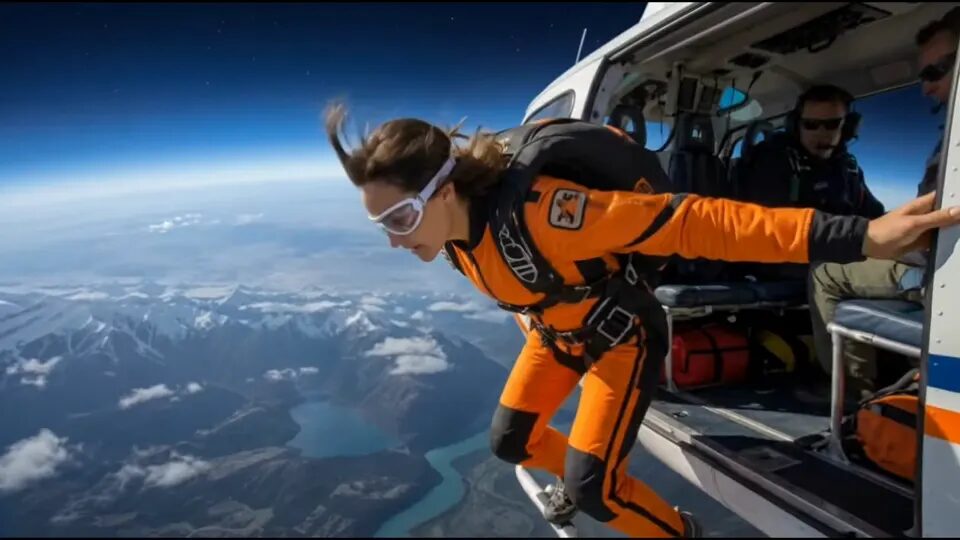
MiniMax H3 ビデオへの参照は、単一の最初のフレームで命令全体を伝送できない場合に役立ちます。正直な簡単な答えは次のとおりです。パッケージを小さく保ち、すべてのリファレンスに 1 つのジョブを与え、モーション、オーディオ、またはスタイルの圧力を追加する前に 1 つの短いクリップをテストします。この規律を無視すると、制御されたワークフローを実行できなくなります。モデルに、矛盾する入力をネゴシエートするように要求し、結果が変動した理由を推測します。
ソース資料を整理する必要がある場合は、中国ビデオ AI ホームページ から始めてください。テストの準備ができたら、MiniMax H3 ワークスペース を開きます。ディープリンクは、一般的なモデルピッカーではなく、このガイドで説明しているのと同じランタイムに誘導されるため、重要です。
2 本の支柱がすでに隣接する仕事をカバーしています。 1 つの静止画像を短いコマーシャル ショットに分割することに問題がある場合は、1 枚の画像から AI 製品広告を作成する方法 をお読みください。主な目標が、より負荷の高いリファレンス ワークフローに取り組む前に、より安価な初回パスである場合は、関連する Seedance 2 ビデオへの参照に関するミニ チェックリスト をお読みください。
直接的な答え: 1 つのパッケージ、資産ごとに 1 つの明確な責任
MiniMax H3 のビデオへの参照は、すべてのアセットが異なる質問に答える場合に最適に機能します。 1枚の画像で被写体をロックできます。 1 つの短いビデオにリズムやカメラの動作を伝えることができます。 1 つの短いオーディオ クリップで、タイミングやサウンドの方向をガイドできます。次に、プロンプトは、何が忠実でなければならず、何が自由に変更できるかをモデルに伝えます。
よくある失敗は、「MiniMax H3 がランダムである」ということではありません。よくある失敗は、パッケージが過負荷になってしまうことです。ユーザーは、いくつかの類似した画像、2 つの矛盾するモーション クリップ、長いオーディオ ファイル、およびスタイル重視のプロンプトを追加します。出力は依然として優れているように見えますが、テストはもはや診断ではありません。どの入力が実際に結果を制御したかはわかりません。
そのため、最初のレビュー クリップはほとんど保守的に感じられるはずです。あなたはまだクライアントに好印象を与えようとしていません。あなたは 3 つの運用上の質問に答えようとしています。
- 主題は一貫性を保っていましたか?
- モーションリファレンスは有益な方法で転送されましたか?
- パッケージは次の反復が明らかなほど小さいままでしたか?
これらの答えのいずれかが「実際にはそうではない」の場合は、ワークフローをスケールアップしないでください。
1. パッケージを設計する前に、実際のランタイムコントラクトを理解する
現在の China Video AI ランタイムは、MiniMax H3 をプレースホルダー ラベルではなく、実際にサポートされているモデルとして公開します。これは、単純な画像からビデオへの変換と参照からビデオへの変換を区別します。リファレンス ワークフローに移行すると、システムは追加の画像、短いビデオ クリップ、短いオーディオ クリップを受け入れることができますが、これらの入力には依然として存在する本当の理由が必要です。
覚えておくべき最も実際的な制限は次のとおりです。
MiniMax H3 リファレンスとビデオのチェックリスト
- 出力持続時間: 4 ~ 15 秒
- 出力解像度: 768P または 2K
- 参考画像:最大9枚
・参考動画:最大3本
- リファレンスオーディオ: 最大 3
- 時間指定されたリファレンスの長さ: 各 2 ~ 15 秒
これらの数字は、すべてを最大限に活用することを示唆するものではありません。それらはガードレールです。より賢明な解釈は、このモデルはかなりリッチなパッケージを許可しますが、リッチなパッケージは最小の有用なパッケージがすでに安定した後にのみ発生するはずであるということです。
単一の最初のフレーム、または最初と最後のフレームのペアが必要な場合は、reference-to-video がまったく必要ない場合があります。追加するインプットが増えるほど、レビュー規律の重要性が高まります。
2. ショットがすでに明確に定義されている場合は、イメージからビデオへの変換を使用します。
ビデオへの参照が、画像からビデオよりも自動的に優れているわけではありません。より柔軟になっただけです。失敗した世代の多くは実際にはモード選択の間違いであるため、これは重要です。
次の場合には、プレーンな画像からビデオへの変換を使用します。
- 最初の 1 つのフレームですでに主題が明確に定義されています。
- モーションは単純なので、プロンプトで直接説明できます。
- 最初のフレームまたは最初と最後のフレームのトランジションのみが必要です。
- 本当の問題は、シーンがきれいにアニメーションするかどうかであり、複数の参照を結合できるかどうかではありません。
次の場合にビデオへの参照を使用します。
- キャラクターや商品を保存するには、1 つの画像だけでは不十分です。
- 短いクリップには、借用したいカメラの動作が含まれています。
- オーディオのタイミングまたはリズムがクリップを形成する必要があります。
- アイデンティティのためのリファレンスと、動きやシーンの雰囲気のためのリファレンスが 1 つ必要です。
この区別により、より単純なモードで回答できたはずのテストに不必要な参照を持ち込むことが防止されるため、クレジットが節約されます。
3. 有用な最小のリファレンス パッケージを構築する
最も強力な MiniMax H3 パッケージは、通常、人々が予想するよりも小さいです。優れた開始パッケージは、次のようになります。
参照パッケージ v1
- 画像 1: 件名または製品 ID をロックする
- ビデオ 1: モーションのリズムまたはカメラの動作を借用
- オーディオ 1: オプション、タイミングまたはペースが重要な場合のみ
この構造は仕事を分離しているので強力です。話題が逸れた場合は、まずアイデンティティアンカーに注目します。カメラがおかしいと感じた場合は、モーション クリップを調べます。ペースがおかしいと感じた場合は、音声リファレンスがテストに役立つのか混乱させるのかを判断できます。
インターフェースで許可されているからといって、重複に近い画像をいくつかフィードしないでください。追加の画像は、正面図、側面のシルエット、動きに耐えなければならない顔のクローズアップなど、それぞれが指示のまったく異なる部分をキャプチャする場合にのみ役立ちます。
同じルールがモーション参照にも適用されます。異なる速度や異なるシーン ジオメトリを示唆する 3 つのノイズの多いクリップよりも、明確なカメラの動きが含まれる 1 つの短いクリップの方が便利です。
4. プロンプトで各参照に 1 つの名前付きジョブを指定します。
MiniMax H3 のビデオへの参照は、プロンプトで各アセットに明示的に名前を付けると制御しやすくなります。目標は美しい散文ではありません。目標は明確な指導です。
MiniMax H3 の公開 ComfyUI ドキュメントでは、位置ベースの参照タグが使用されています。これは、ComfyUI 内で作業していないときでも、雰囲気ではなく責任に基づいて考えることを強制されるため、実践的に良い習慣です。
被写体の正体と表面の詳細については、<図 1> を使用してください。
カメラのペースと方向転換には <ビデオ 1> を使用します。
<オーディオ 1> はタイミングのアクセントにのみ使用し、主題のデザインには使用しません。
<写真 1> と同じ被写体をそのままにしておきます。
新しいシーンと競合する背景オブジェクトをコピーしないでください。
この構造は、「映画のように一貫性のあるものにしてください」のような一般的なプロンプトよりも優れています。モデルには引き続きスタイル言語が必要ですが、スタイルは制御言語の後に来る必要があります。まず、各アセットの動作を定義します。次に、新しいシーン、フレーミング、モーション、除外事項について説明します。
実行可能なスケルトンの 1 つは次のとおりです。
主題: <図 1> と同じ主題と主要な視覚的特徴を維持します。
モーション: <ビデオ 1> からカメラのペースと方向性のエネルギーを借用します。
シーン: プロンプトをサポートする新しい設定に件名を配置します。
タイミング: <オーディオ 1> を使用する場合は、そのリズムのみに強調を合わせます。
除外: 重複した被写体、ランダムなテキスト、無関係な小道具、カメラの揺れはありません。
1 つのアセットに名前付きジョブがない場合は、最初のパスでそのアセットを削除します。
5. 最終的な成果物ではなく、短いレビュークリップから始めます
MiniMax H3 リファレンス ワークフローは、最初の出力が短い場合にデバッグが容易です。短いクリップにより、アイデンティティが漂流する可能性のある場所の数が減り、参照ロジックが機能しているかどうかを簡単に判断できるようになります。
そのため、最初のパスでは通常、次の 1 つの狭い質問に答える必要があります。
- 動きが導入されている間、主題は一貫性を保つことができますか?
- シーンを壊さずにカメラの動作を転送できますか?
- 結果全体を引き継がずに、オーディオのタイミングでクリップをガイドできますか?
これを行う間、小さな実験ログを記録します。
実行: h3-r2v-v1
図 1: フロントリファレンス.png
ビデオ 1: スローターン.mp4
音声 1: なし
持続時間: 6秒
結果: 被写体はホールドされ、動きが転送され、最後の 1 秒で背景がビジーになりすぎます
次の動き: 背景の線を簡素化し、すべての参照を変更しないでください
これにより、ワークフローが崩壊して曖昧な記憶になるのを防ぎます。 MiniMax H3 は印象的な出力を生成できますが、印象的な出力は再現可能であることと同じではありません。
6. 参照を追加する前に実際の障害を診断します。
追加の参照はデフォルトの修復ではありません。多くの場合、失敗が読みにくくなります。
代わりに、小さな診断ループを使用してください。
|症状 |考えられる原因 |次の最小の変更 | | --- | --- | --- | |主題が参照から離れていく |アイデンティティ資産が弱いか、指定が不十分です |アセットを追加する前に、図 1 を交換または強化してください。 |動きがおかしい |ビデオのリファレンスとプロンプトはさまざまな動きを説明しています。同じクリップを保持し、モーション命令を書き換えます。 |シーンが過負荷になっています |設計作業を行っている参照が多すぎます。必要最小限の資産を削除する | |オーディオが結果を混沌とさせる |オーディオがタイミングを誘導しすぎている |ベースライン テストのためにオーディオ 1 を削除 | |出力は技術的には良好に見えますが、使用できません。タスクではなく、パッケージが解決されたスタイル |実際のビューア ジョブに関連するプロンプトを書き直す |
レビューするときは、毎回同じ順序を使用してください。
1. 主題の一貫性
2. 動きやタイミングの伝達
3. 不要なオブジェクトまたは重複した詳細
4. カメラの安定性
5. クリップが実際に意図したタスクを解決するかどうか
この順序が重要なのは、すでにアイデンティティ チェックに失敗したクリップのライティングを称賛することができなくなるからです。
7. MiniMax H3 は、参照が相補的である場合に最も強力になります。
最高の MiniMax H3 パッケージは、群衆ではなくチームのように感じられます。画像が主題を与えます。短いモーション クリップで動作を示します。オプションのオーディオでリズムを与えます。彼らの誰も同じ仕事のために戦ってはなりません。
これが、「参照を追加するだけ」がよくない習慣である理由でもあります。 2 つの画像のポーズが一致しない場合、またはビデオがプロンプトとは異なるカメラ速度を示唆している場合、モデルは妥協を余儀なくされます。場合によっては、妥協案が依然として興味深いものに見えることもあります。しかし、どの命令が勝ったのかが分からなくなるため、結果の再利用は難しくなります。
実際的なルールは単純です。各アセットのジョブを 1 つの短い文で説明できない場合、パッケージは準備ができていません。
8. MiniMax H3 が正しい答えであるかどうかを決定する
MiniMax H3 のビデオへの参照は、普遍的なデフォルトではありません。これは、1 つのフレームで提供できる以上の制御が必要な場合、特に別のクリエイティブ ツールチェーンに切り替えることなくアイデンティティ、モーション、タイミングを組み合わせたい場合に最適です。
1枚のキャラクター画像と1本のモーション動画で要件を定義できるなら、より大きな参照パッケージを組む前に Kling 3 モーションコントロールのトラブルシューティングガイド で、絞り込んだモーション転送を試してください。
次の場合、それは間違った答えである可能性があります。
- ショットは最初の 1 フレームですでに解決されています。
- プロンプトは依然として曖昧であるため、参照パッケージはそれを解決できません。
- このタスクは実際には単純な商品広告のベースラインであり、別のより軽量なワークフローですでに解決できます。
- 本当に必要なのは、別のモデル ファミリまたはまったく別の作成モードです。
より広範なモデル ファミリを決定する必要がある場合は、中国の AI ビデオ モデル ガイド を使用します。プロジェクトが単一の製品イメージの商用テストにまだ近づいている場合は、1 枚の画像から AI 製品広告を作成する方法 に戻ります。実際の優先順位が安価な初期段階のフィルタである場合は、関連する Seedance 2 ビデオへの参照に関するミニ チェックリスト が最初の停止として適しています。
9. パッケージを展開する前に、実際のモーション サンプルを確認します。
実際のクリップを見ると、レビューの基準が変わります。紙の上では整理されているように見えるパッケージでも、実際に動き始めると失敗する可能性があります。独自のファーストパス出力を使用するのと同じ方法で以下のサンプルを使用します。つまり、コヒーレンスを検査し、モーション転送を検査し、最終フレームがまだ編集可能であるかどうかを検査します。
レビューするときは、次のように質問してください。
- 被写体はモーション アーク全体にわたって読み取り可能な状態に保たれていますか?
- カメラの動きはゴム的なものではなく、意図的なものですか?
- 実際に維持できるクリーンなフレームはありますか?
- クリップが失敗した場合、次にどの単一のアセットまたは命令を変更すればよいか知っていますか?
最後の質問の答えが「いいえ」の場合、パッケージは複雑すぎます。
10. 本番環境でも安全な MiniMax H3 チェックリスト
ワークフローを準備完了と呼ぶ前に、次のチェックリストを実行してください。
- モードの選択は正しい: 画像からビデオへ、または参照からビデオへ
- 各アセットには 1 つの名前付きジョブがあります
- 最初のパスでは最小の有用なパッケージを使用します
- 時限参照は短く、関連性のあるものに留まります
- プロンプトは各参照に明示的に名前を付けます
- 最初のレビュー クリップは診断するには十分短いです
- 別のアセットが追加される前に、次の変更が明らかになる
このチェックリストは意図的に狭いものになっています。狭いチェックリストにより、参照ワークフローが誠実に保たれます。ベースライン クリップが通過したら、より長い期間、より多くのシーンの野心、または別の制御された参照を正当化できます。
MiniMax H3 は、重要なものを保持し、変更すべきものを変更するのに役立つ場合に最も役立ちます。それが実際に起こるかどうかを決めるのはパッケージデザインです。
よくある質問
MiniMax H3 ビデオ参照は何に最適ですか?
1 つのプロンプトでは不十分で、被写体のアイデンティティ、カメラの動作、シーン スタイル、または画像、短いクリップ、またはオーディオからのサウンド キューを引き継ぐ必要がある場合は、MiniMax H3 ビデオ参照を使用します。
中国ビデオ AI の MiniMax H3 では、いくつのリファレンスを使用できますか?
現在のランタイムは最大 9 つの参照画像、3 つの参照ビデオ、および 3 つの参照オーディオを受け入れますが、実際の目標は、各アセットに 1 つの明確なジョブが含まれるようにパッケージを十分に小さく保つことです。
画像からビデオへの変換と参照からビデオへの変換のどちらを最初に使用する必要がありますか?
最初の 1 つのフレームまたは最初と最後のフレームのペアがすでにショットを定義している場合は、image-to-video を使用します。結果を制御するために追加のイメージ、モーション クリップ、またはオーディオが必要な場合は、reference-to-video を使用します。
MiniMax H3 が私の参照の 1 つを無視するのはなぜですか?
パッケージが一度に実行するジョブが多すぎることがよくあります。入力を減らし、プロンプトで各参照に明示的に名前を付け、2 つのアセットが矛盾する指示を与えているかどうかを確認します。
MiniMax H3 参照クリップの長さはどれくらいですか?
ビデオとオーディオの参照は短くしてください。現在のランタイムと公開ドキュメントは両方とも、時間指定された参照あたり 2 ~ 15 秒を示しています。これは、生成をフラッディングすることなくモーションを実行するには十分です。
MiniMax H3 は今どこでテストできますか?
MiniMax H3 ワークスペース を開き、最小の有用なパッケージをアップロードし、テストを展開する前に 1 つの短いクリップを確認します。
目標は、インターフェイスが許可する最大のリファレンス パッケージを構築することではありません。目標は、読者の本当の問題に答えられる最小のパッケージを作成することです。パッケージが透明であれば、次の反復も透明です。パッケージが泥だらけの場合、追加のアセットがあるたびにワークフローのコストが高くなり、教育しにくくなります。
ソース資料を整理する必要がある場合は、中国ビデオ AI ホームページ に戻ります。主題、モーション サンプル、および回答が必要な最初の確認質問がすでにわかっている場合は、MiniMax H3 ワークスペース に直接進んでください。これが正しい順序です。タスクを定義し、最小のパッケージを構築してから、モデルが概要に従うことができることを証明します。