
Complex visual hierarchy
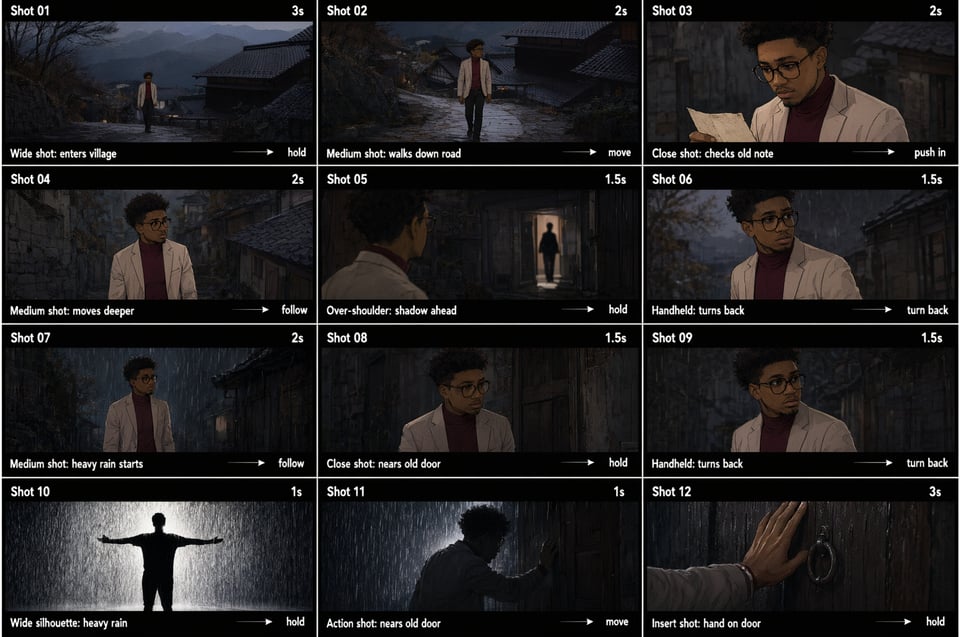
Describe multi-panel pages, nested scenes, charts, callouts, and structured information in one prompt.
Seedance 2.5 リリース!90%オフ 全モデル · 10月31日まで🚀 Seedance 2.5 リリース!90%オフ 全モデル · 10月31日まで(年間プラン限定)
Alibaba Qwen image workflow
Create posters, infographics, interface concepts, and marketing images with Chinese Qwen Image 3. Start from text or edit up to three reference images while keeping model settings and credit cost visible.
Independent third-party access · Not affiliated with or endorsed by Alibaba or the Qwen team
Create or edit online
Use the same creation workspace as the homepage. Choose image generation or editing, add a structured prompt, review the output settings and credit estimate, then continue to generate.
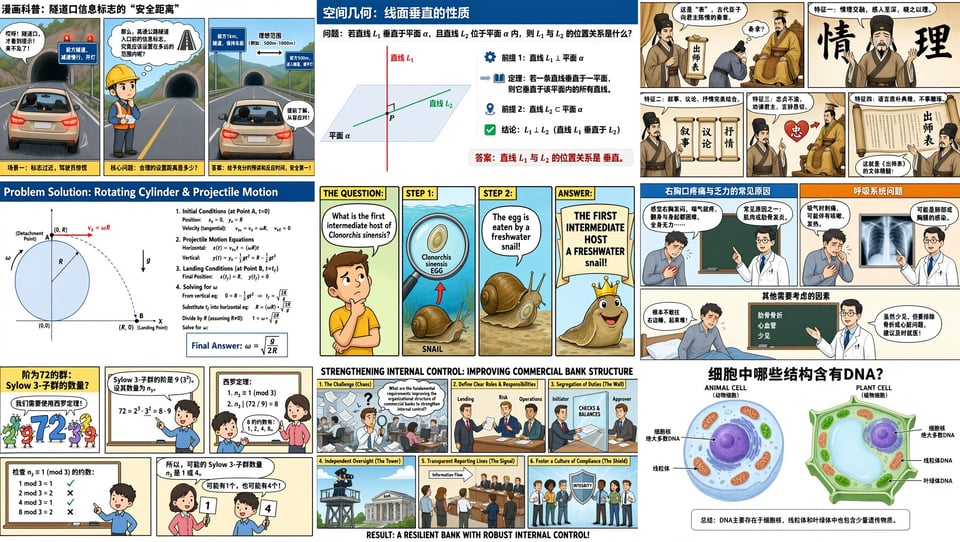
Describe several panels, exact objects, layout hierarchy, and on-image copy in one brief. Qwen Image 3 is designed for dense compositions such as posters, reports, storyboards, and information graphics.
Name every section and preserve the order when the layout matters.
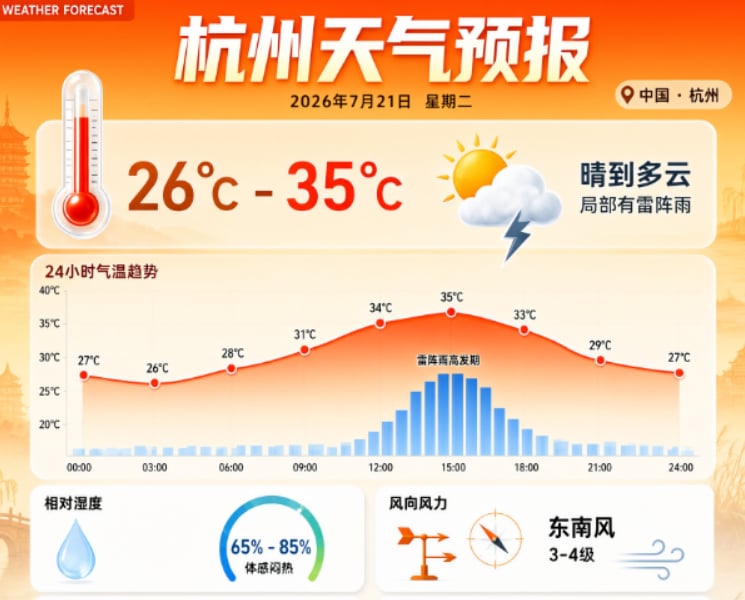
Use exact Chinese or multilingual copy for headlines, labels, menus, captions, and interface concepts. Put required wording in quotation marks and tell the model not to translate or rewrite it.
Always inspect critical names, prices, and legal copy before publishing.
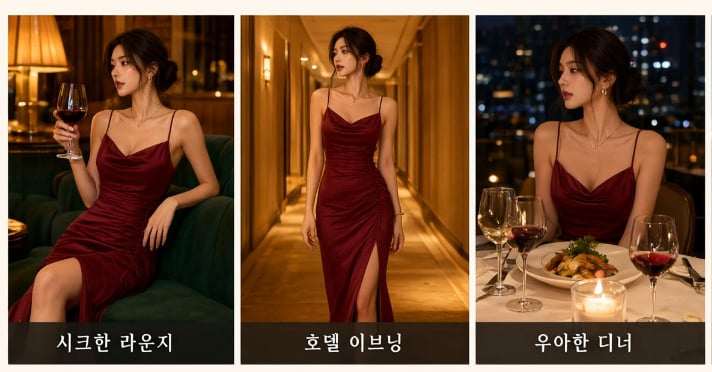
Upload one to three images and explain what each reference contributes. Change a background, combine subjects, preserve product details, or refine a visual without rebuilding the whole brief.
Refer to Image 1, Image 2, and Image 3 explicitly in complex edits.
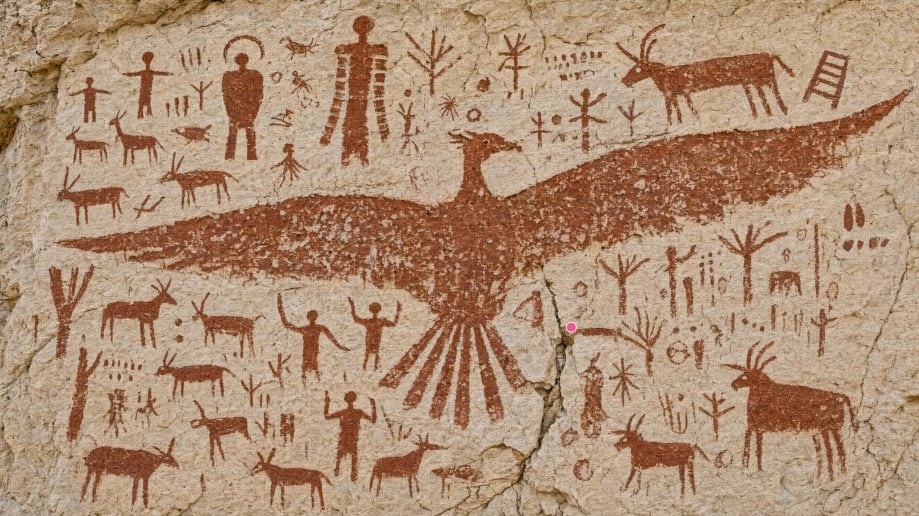
Compare Standard and Pro, select a supported 1K or 2K output, choose the aspect ratio and format, and review the credit estimate before submitting the task.
The generator controls are the current source of truth for available settings.
What Qwen Image 3 is built for
Qwen Image 3 is most useful when the image must communicate information as well as look polished.
Describe multi-panel pages, nested scenes, charts, callouts, and structured information in one prompt.
Build drafts with Chinese, English, and other supported languages rendered directly inside the image.
Use separate references for subject, style, product, composition, or other controlled edits.
Choose the supported resolution and aspect ratio that match the intended web, social, or design layout.
Use prompt enhancement, negative prompts, and a seed when the selected endpoint exposes them.
See the current credit requirement before generation instead of discovering the cost after submission.
Structure the brief, choose the right job type, and inspect the result before using it.
List the subject, sections, layout, style, and exact Chinese or multilingual strings that must appear. State what must not be rewritten.
Start from text, or upload up to three reference images. Then select Standard or Pro, output size, aspect ratio, and format.
Check spelling, hierarchy, small labels, and reference fidelity. Download the strongest result or revise the brief for another pass.
クレジットで手軽に試し、継続制作は月額、長期制作は年額でAI動画コストを抑えられます。
クレジットで手軽に試し、継続制作は月額、長期制作は年額でAI動画コストを抑えられます。
| 機能 | Basic 月額月額 | Starter 月額月額 | Starter 年額年額年額 | Pro 月額月額 | Pro 年額年額年額 | 無制限 月額月額 | 無制限 年額年額年額 | 一回払い$9.99 | 一回払い$19.99 | 一回払い$39.99 |
|---|---|---|---|---|---|---|---|---|---|---|
| 価格 | $14.99 /月 | $29.99 /月 | $8.33 /月 | $89.99 /月 | $25 /月 30%お得 | $149.99 /月 | $75 /月 50%お得 | $9.99 一回払い | $19.99 一回払い | $39.99 一回払い |
| クレジット | 1,000/月 初回購入 · 200クレジット追加 | 4,000/月 | 12,000/年 | 10,000/月 | 32,000/年 | 25,000/月 | 90,000/年 | 800 | 1,800 | 4,000 |
| 同時生成 | 1 | 1 | 2 | 3 | 4 | 5 | 8 | 1 | 1 | 1 |
| ウォーターマークなし | ||||||||||
| 商用ライセンス | ||||||||||
| AIモデル割引 | 通常 | 通常 | 20%割引 | 20%割引 | 40%割引 | 100%節約 | 100%節約 | 通常 | 通常 | 通常 |
| 動画モデル | ||||||||||
MiniMax H3 | 250 | 250 | 250200 | 250200 | 250150 | 250125 | 250100 | 250 | 250 | 250 |
Seedance 2.5New | 160 | 160 | 160128 | 160128 | 16096 | 16080 | 16064 | 160 | 160 | 160 |
Seedance 2.0 | 80 | 80 | 8064 | 8064 | 8048 | 8040 | 8032 | 80 | 80 | 80 |
Seedance 2.0 Fast | 65 | 65 | 6552 | 6552 | 6539 | 6532 | 6526 | 65 | 65 | 65 |
Seedance 2.0 Mini | 55 | 55 | 5544 | 5544 | 5533 | 5527 | 5522 | 55 | 55 | 55 |
PixVerse V6New | 70 | 70 | 7056 | 7056 | 7042 | 無料 | 無料 | 70 | 70 | 70 |
Seedance 1.5 Pro | 40 | 40 | 4032 | 4032 | 4024 | 無料 | 無料 | 40 | 40 | 40 |
Veo 3 | 100 | 100 | 10080 | 10080 | 10060 | 無料 | 無料 | 100 | 100 | 100 |
Veo 3.1 Lite | 75 | 75 | 7560 | 7560 | 7545 | 無料 | 無料 | 75 | 75 | 75 |
Veo 3.1 Basic | 150 | 150 | 150120 | 150120 | 15090 | 15075 | 15060 | 150 | 150 | 150 |
Veo 3.1 Premium | 200 | 200 | 200160 | 200160 | 200120 | 200100 | 20080 | 200 | 200 | 200 |
Kling 2.5 | 100 | 100 | 10080 | 10080 | 10060 | 無料 | 無料 | 100 | 100 | 100 |
Kling 2.1 Pro | 120 | 120 | 12096 | 12096 | 12072 | 無料 | 無料 | 120 | 120 | 120 |
Kling 2.1 Master | 200 | 200 | 200160 | 200160 | 200120 | 200100 | 20080 | 200 | 200 | 200 |
Wan 2.5 | 100 | 100 | 10080 | 10080 | 10060 | 無料 | 無料 | 100 | 100 | 100 |
Grok Imagine Video | 40+ | 40+ | 40+32+ | 40+32+ | 40+24+ | 無料 | 無料 | 40+ | 40+ | 40+ |
| 画像モデル | ||||||||||
Seedream 5.0 | 30 | 30 | 3024 | 3024 | 3018 | 無料 | 無料 | 30 | 30 | 30 |
GPT-4o Image | 30 | 30 | 3024 | 3024 | 3018 | 無料 | 無料 | 30 | 30 | 30 |
Nano Banana | 30 | 30 | 3024 | 3024 | 3018 | 無料 | 無料 | 30 | 30 | 30 |
Nano Banana 24K | 40 | 40 | 4032 | 4032 | 4024 | 無料 | 無料 | 40 | 40 | 40 |
Nano Banana Pro4K | 40 | 40 | 4032 | 4032 | 4024 | 無料 | 無料 | 40 | 40 | 40 |
Flux Kontext Pro | 30 | 30 | 3024 | 3024 | 3018 | 無料 | 無料 | 30 | 30 | 30 |
Flux Kontext Max | 40 | 40 | 4032 | 4032 | 4024 | 無料 | 無料 | 40 | 40 | 40 |
Seedream 4.04K | 30 | 30 | 3024 | 3024 | 3018 | 無料 | 無料 | 30 | 30 | 30 |
Seedream 5.0 Lite2K | 40 | 40 | 4032 | 4032 | 4024 | 無料 | 無料 | 40 | 40 | 40 |
Qwen Image Edit | 30 | 30 | 3024 | 3024 | 3018 | 無料 | 無料 | 30 | 30 | 30 |
Grok Imagine Image | 30 | 30 | 3024 | 3024 | 3018 | 無料 | 無料 | 30 | 30 | 30 |
💡 年払いを選ぶと最大50%節約でき、すべての基本・強化モデルが90%オフになり、商用ライセンスも含まれます。
Move between Qwen Image 3, general image creation, prompt-based editing, Chinese AI model guides, and current credit plans.
Compare supported image models and generate from a prompt.
Learn more
Upload images and make prompt-guided visual changes.
Learn more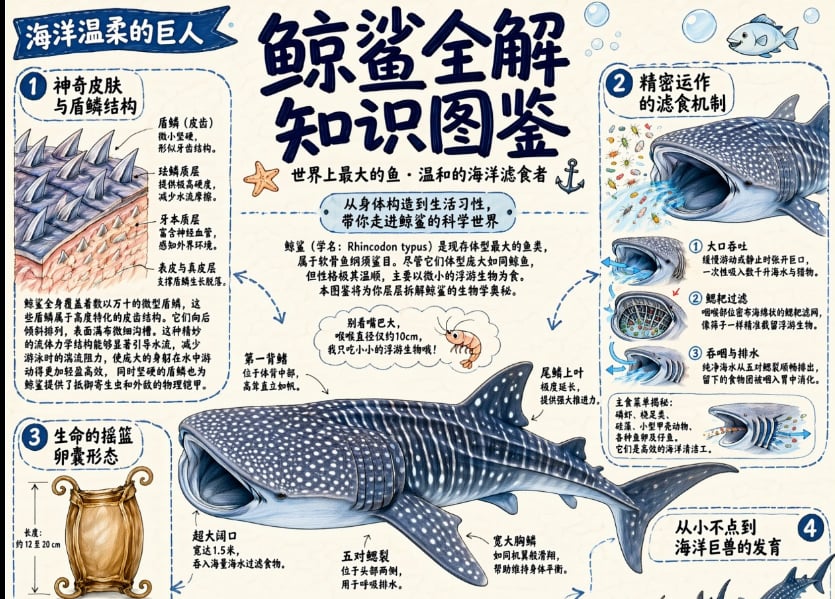
Understand the Chinese model ecosystem and choose a workflow.
Learn more
Compare subscriptions and one-time credit packs.
Learn moreWrite the exact Chinese or multilingual copy, define the layout, choose Create or Edit, and see the required credits before you generate.
Open the Qwen Image 3 generator