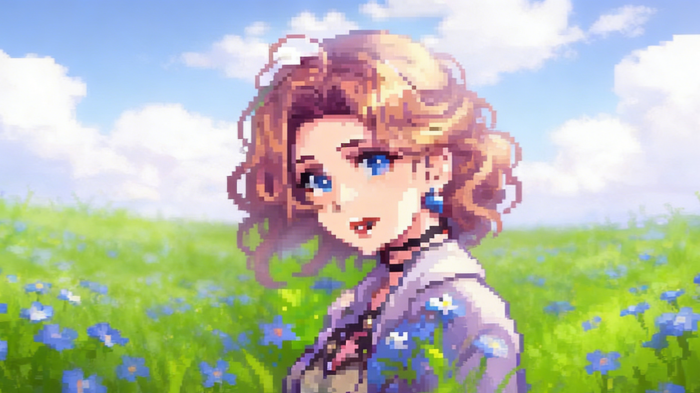
インテリジェント・ピカリションアルゴリズム
ボディエディター
サンプル画像からピクセルへのツール:普通の写真を鮮やかなピクセルアートに変換
商用利用と優先処理を使用して、よりプレミアムな AI ビデオを作成します。
他のユーザーが生成された結果を表示できるようにします。
プロンプトとアップロードされたソース ファイルを他のユーザーから隠します。
結果を待っています
必要な入力を完了し、「生成」をクリックします。
AI画像ツール
Image to Pixelは、普通の写真をユニークなピクセルスタイルの画像に簡単に変身させることができます。ポートレート、風景、ペット、オブジェクトなど、Image to Pixelは複雑なピクセルディテールでレトロなビデオゲームの美学を生き生きと表現します。Image to Pixelで処理されたすべての画像は、ノスタルジーと創造性を同時に反映した鮮やかなデジタルアート作品となります。
画像からピクセルへ を開くImage to Pixelは強力なピクセル化ツール群を提供しており、どんな画像でもピクセルアートに変換することが簡単かつ効率的にできます。
ボディエディター
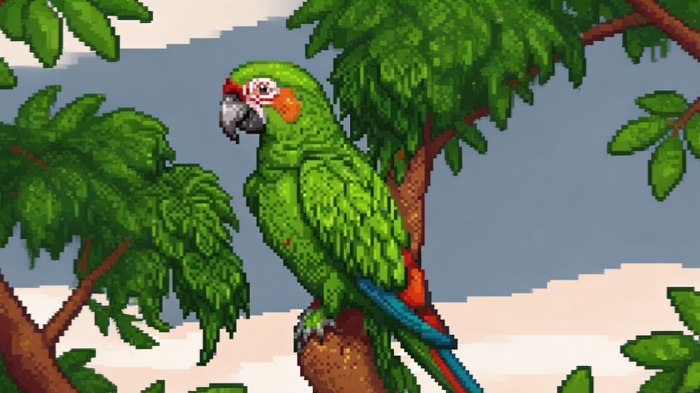
スパイダーマン AI
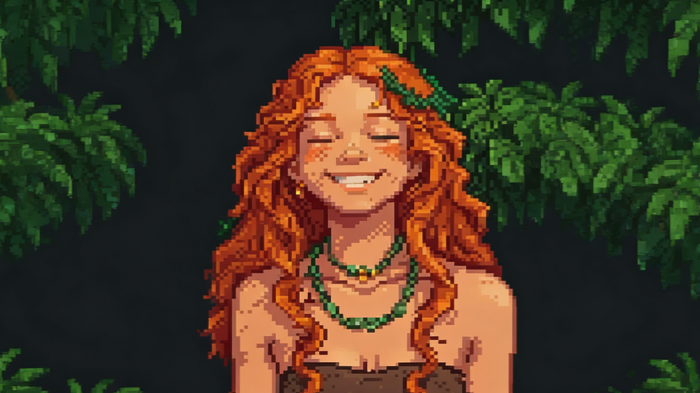
ディスプレイ
自撮りやペットの写真から美しい風景まで、Image to Pixelはレトロビデオゲームの魅力をすべての画像に注入しています。
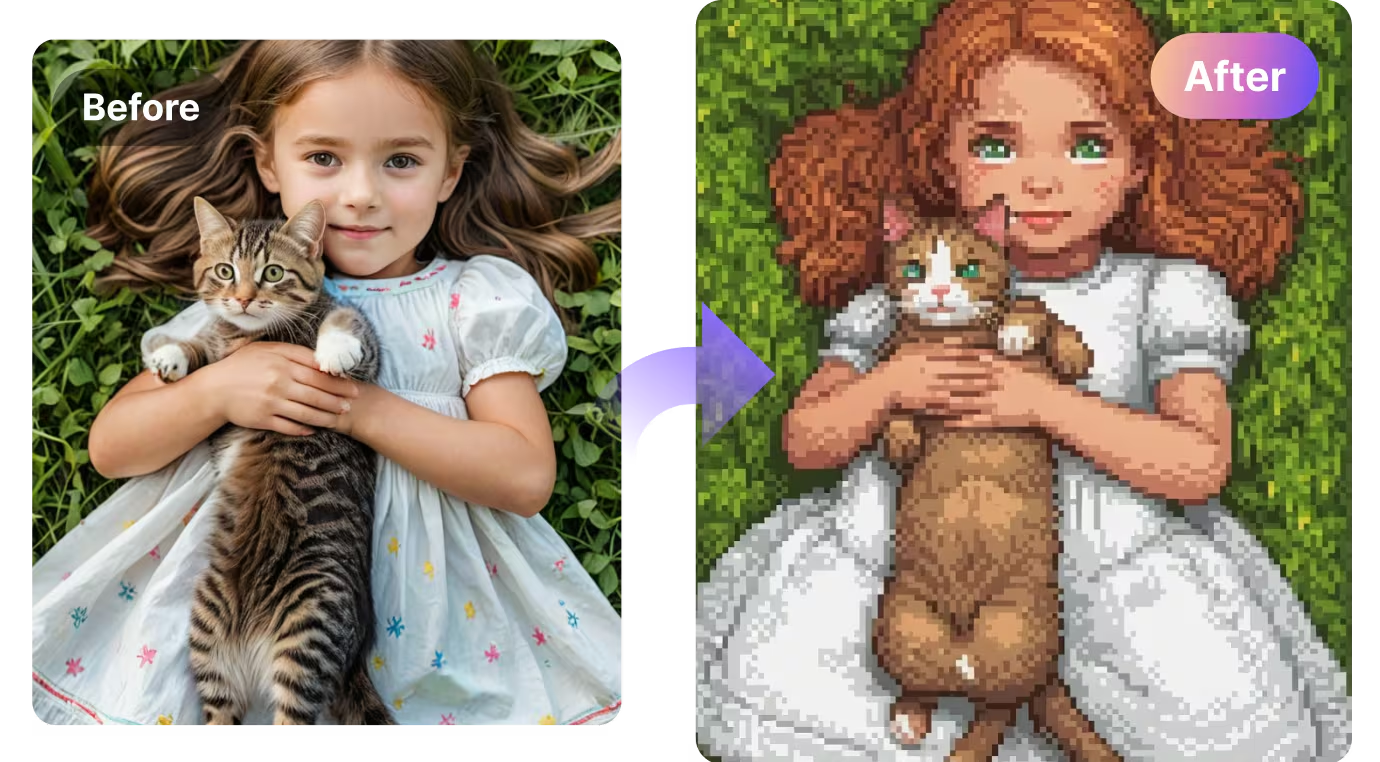
自撮りやペットの写真から美しい風景まで、Image to Pixelはレトロビデオゲームの魅力をすべての画像に注入しています。
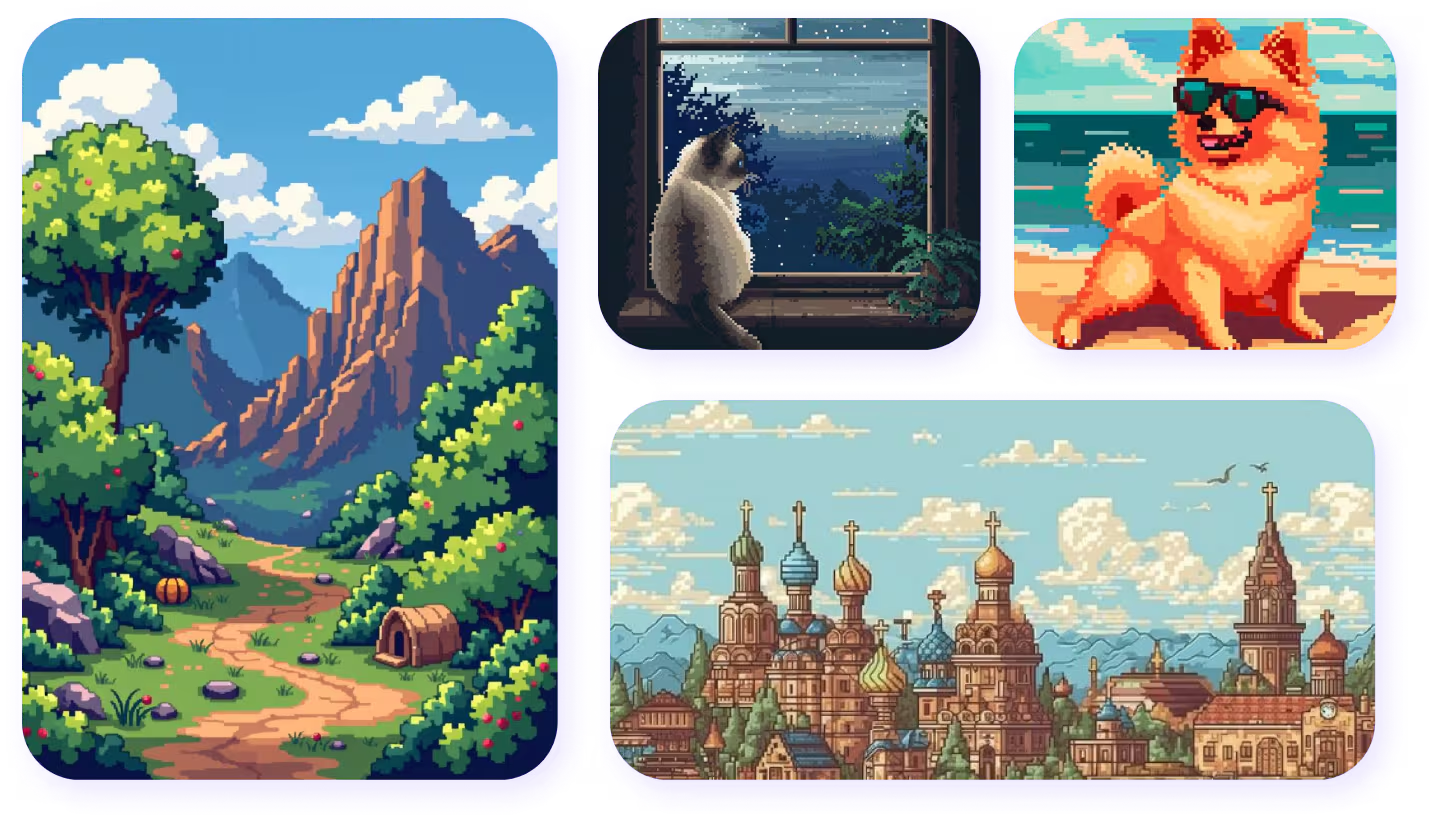
自撮りやペットの写真から美しい風景まで、Image to Pixelはレトロビデオゲームの魅力をすべての画像に注入しています。
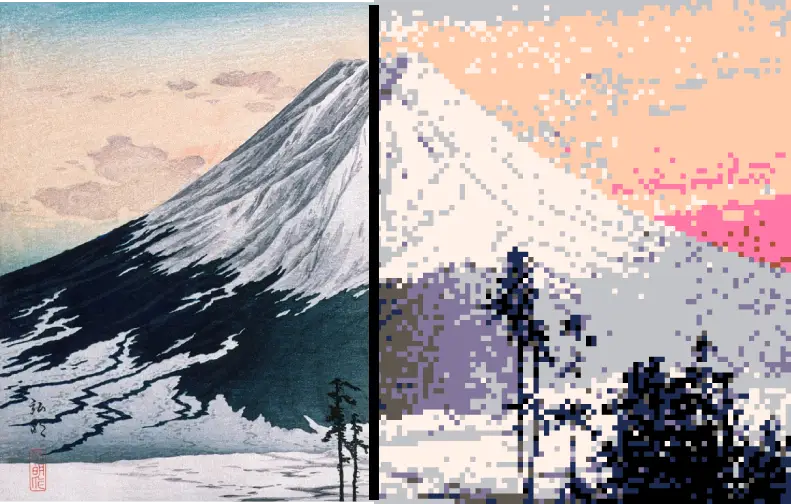
自撮りやペットの写真から美しい風景まで、Image to Pixelはレトロビデオゲームの魅力をすべての画像に注入しています。
Image to Pixelは、パーソナルアートプロジェクト、デザインワーク、ソーシャルエンターテインメントで広く使われています。このツールは、日常の画像をレトロなピクセルの傑作に変えることで創造性を刺激します。
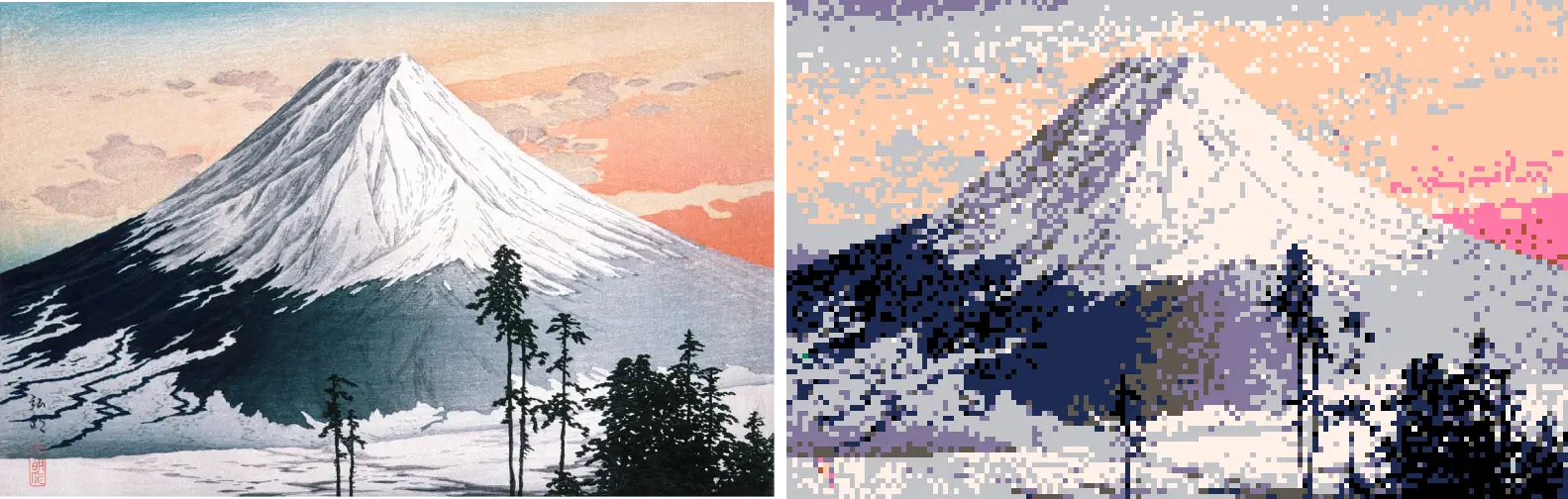
Image to Pixelは、ゲーム開発者が生の素材を素早くピクセルスタイルのデザインに変換することを可能にします。キャラクター、小道具、あるいはゲーム全体の環境など、Image to Pixelは高品質なレトロビジュアルを作成するための必須ツールを提供します。
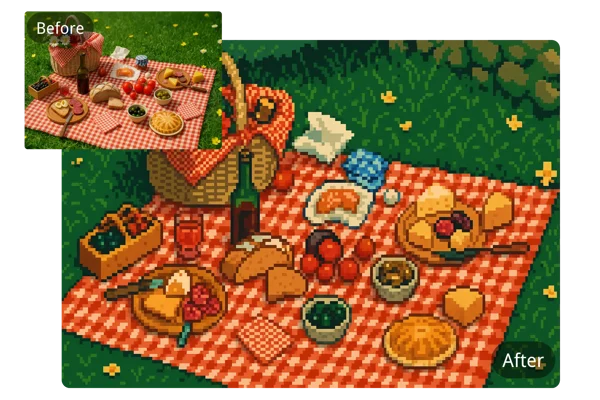
コンテンツクリエイターはImage to Pixelを活用し、オーディエンスのエンゲージメントを高める独自のピクセルアート画像を作成できます。Image to Pixelを活用することで、クリエイターは飽和状態のソーシャルコンテンツの時代に際立つ存在となり、新鮮な視覚体験を提供できます。
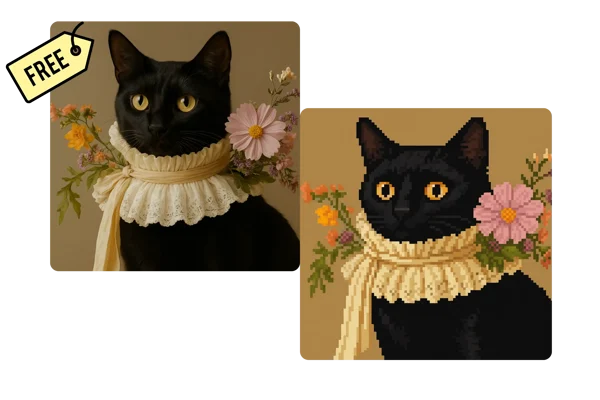
写真家やデジタルアーティストは、Image to Pixelを使って画像をピクセルアートに変換し、レトロ美学と現代の創造性の交差点を探求できます。Image to Pixelは、クリエイターがオリジナル作品の本質を守りつつ、新しい視覚言語を試すことを可能にします。
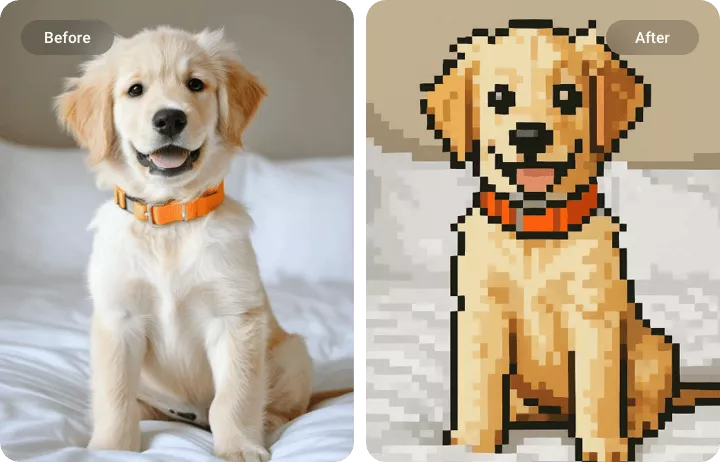
Image to Pixelはユーザーがピクセルの粒度をコントロールできます。粗いレトロピクセルから細かいアートワークまで、Image to Pixelは最終出力を完全にコントロールできます。この柔軟性により、Image to Pixelは初心者からプロのピクセルアーティストまで多用途な選択肢となっています。
China Video AIのImage to Pixelは安定した高品質なピクセル化体験を提供し、ピクセルアート制作者にとって欠かせないツールとなっています。
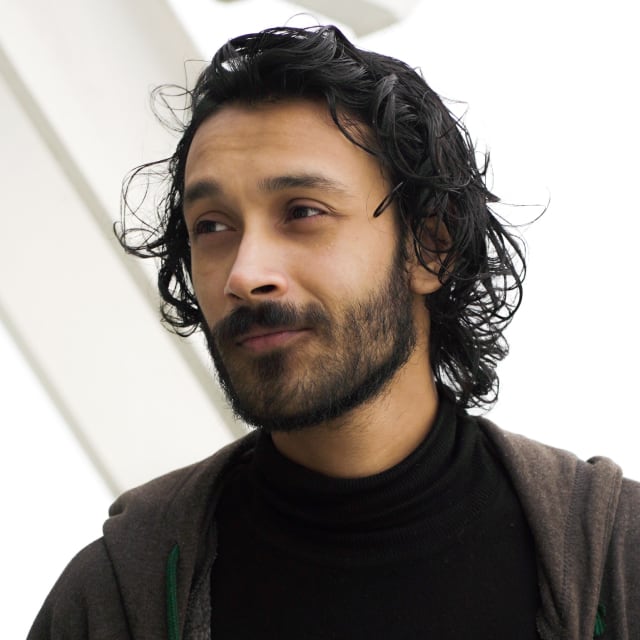
Image to Pixelは高度なディープラーニングを活用し、画像の細部を丁寧に分析し、鮮明で一貫性があり視覚的に美しいピクセルアートへと変貌させます。China Video AIのImage to Pixelは、オリジナル画像の本質を守りつつ、魅力的なレトロな美学を加えます。AIはポートレートから風景画まで様々な画像タイプに賢く適応し、プロ品質の成果を保証し、どんなプロジェクトでもあなたの作品を際立たせます。
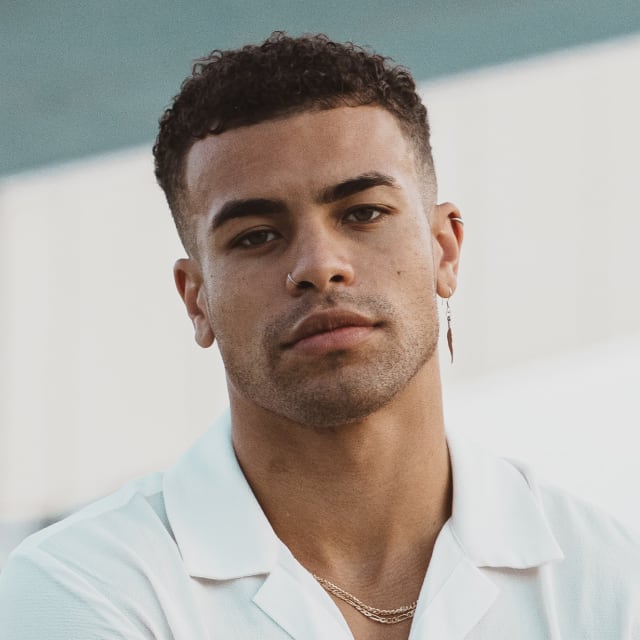
デザイン経験がありませんか?問題ありません。Image to Pixelでは、ピクセルアートの作成は画像をアップロードするだけでAIに任せられます。China Video AIのImage to Pixelは初心者から経験豊富なアーティストまで、スムーズでシンプルなワークフローを提供し、ピクセルアートの探索を楽しくストレスフリーにします。すべての機能は使いやすさを重視して設計されており、メニュー操作にかかる時間を減らし、創作により多くの時間を割けます。
多彩なクラシックなピクセルアートスタイルで創造性を表現しましょう。Image to Pixelは自由に実験し、スタイルをシームレスに切り替えて作品の完璧な見た目を見つけられます。
あなたが作るすべてのピクセルアートは輝くに値します。China Video AIのImage to Pixelは、印刷、デジタルディスプレイ、プロフェッショナルプロジェクトに適した高解像度エクスポートに対応しています。これにより、どこに現れても作品のディテールやインパクトが失われることはなく、妥協なくどこでも自由に使えます。
時間は貴重であり、Image to Pixelはそれを尊重しています。AIは数秒で詳細なピクセルアートを生成し、アイデアを素早く繰り返し磨き上げることができます。China Video AIのImage to Pixelはワークフローを効率化し、結果を待つ代わりに創造性に集中できます。
あなたの画像はあなたのものであり、China Video AIそれを真剣に受け止めています。Image to Pixelにアップロードされた画像は変換専用であり、保存、共有、販売は一切行われません。これにより、あなたのクリエイティブプロジェクトは完全にプライベートなまま保たれます。
Image to Pixelが普通の写真を魅惑的なピクセルアートに変える様子をご覧ください。
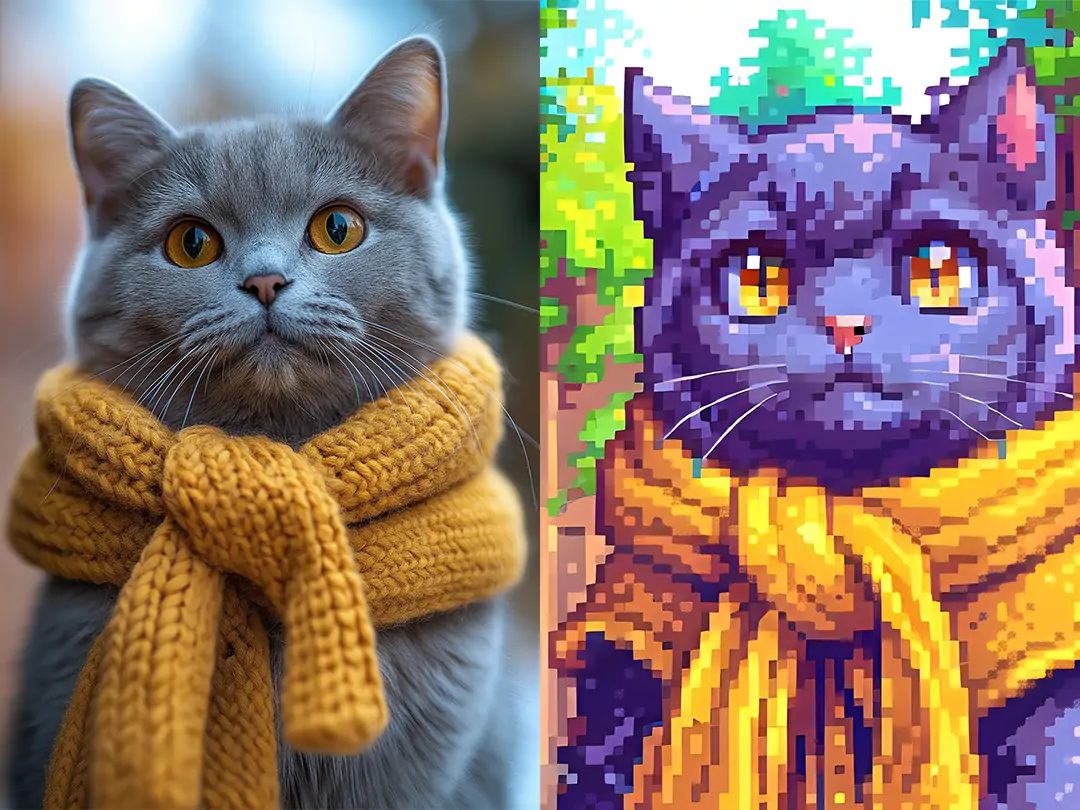
セルフィーやポートレート写真は、レトロなピクセル風アバターに変換でき、ソーシャルメディアやゲームプラットフォームに最適です。Image to Pixelは、顔の細部を表現しつつ、楽しく懐かしい雰囲気を保ちます。
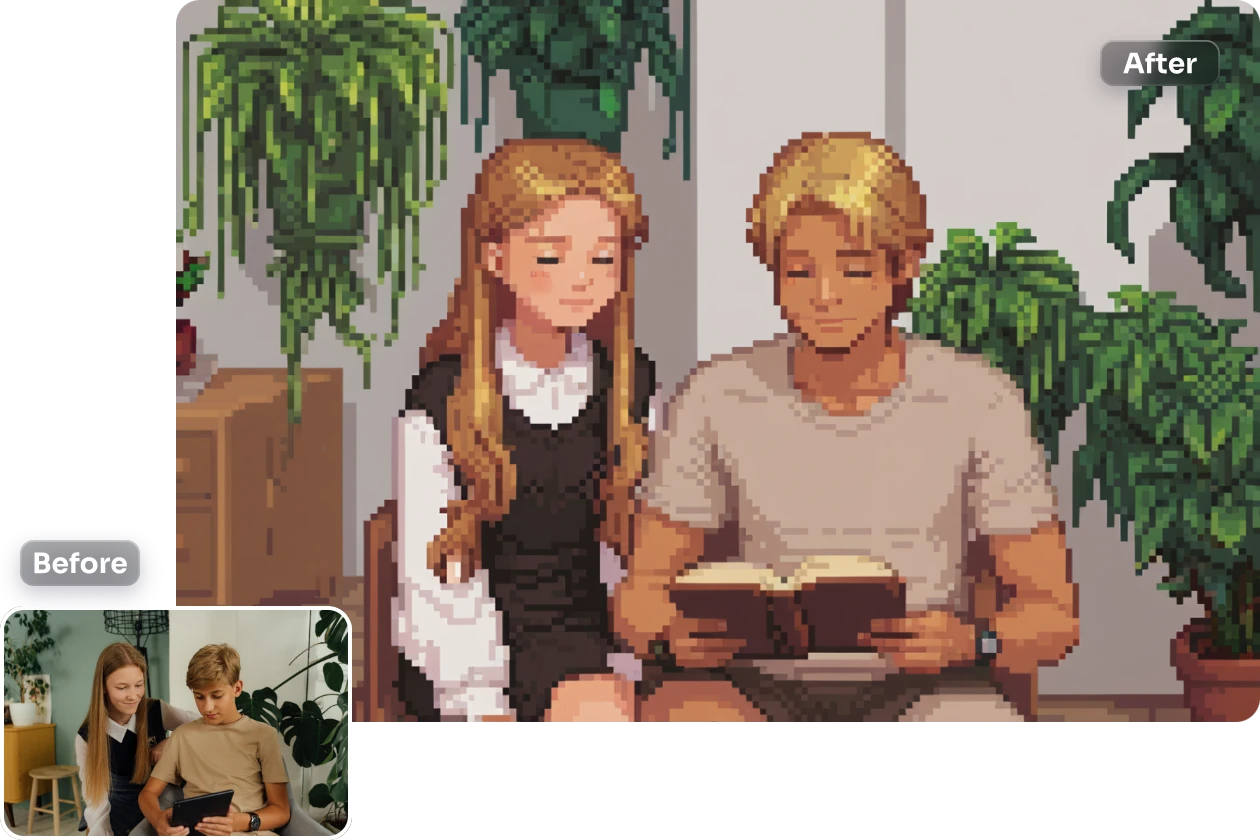
都市の街路から自然の風景まで、Image to Pixelは写真をピクセルアートに変換し、魅力的なレトロなビジュアルを生み出します。Image to Pixelを使えば、複雑なシーンもクリアでスタイリッシュなピクセル形式で描画されます。
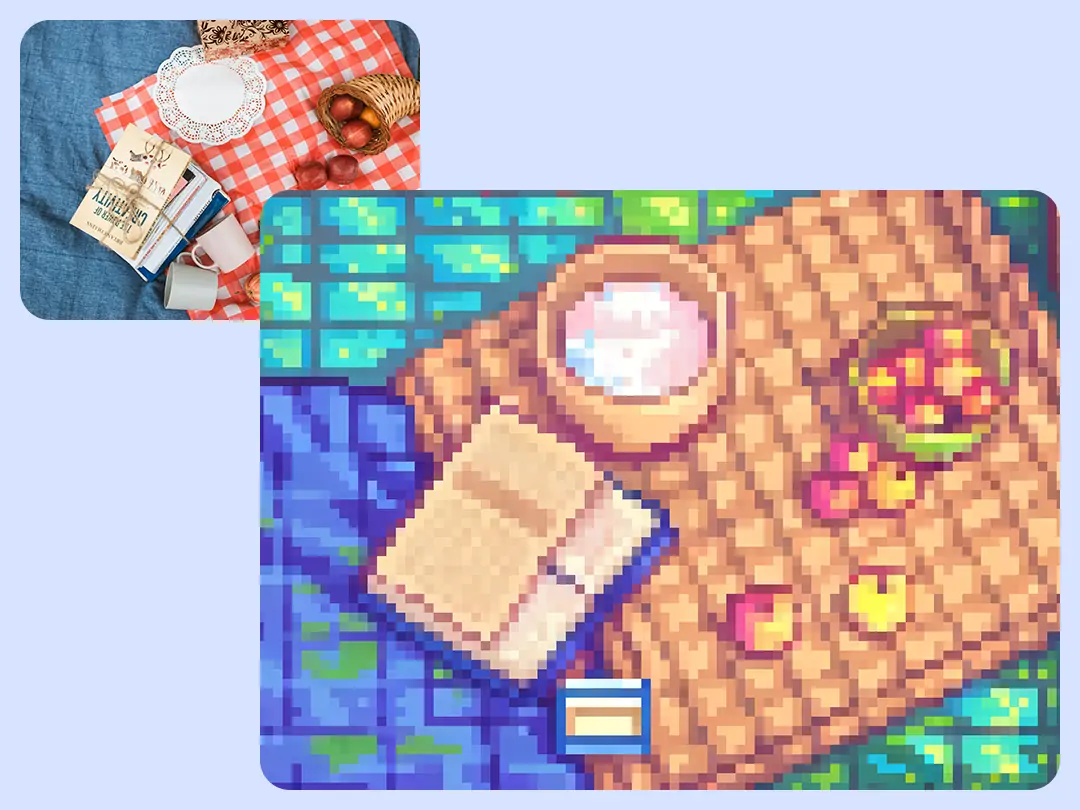
画像からピクセルへと自撮りをして、クールなピクセルアバターやステッカーに変換して、普通の写真とは一線を画しましょう。あなたのユニークなスタイルを共有し、デジタルノスタルジーへの愛情を表現しましょう。
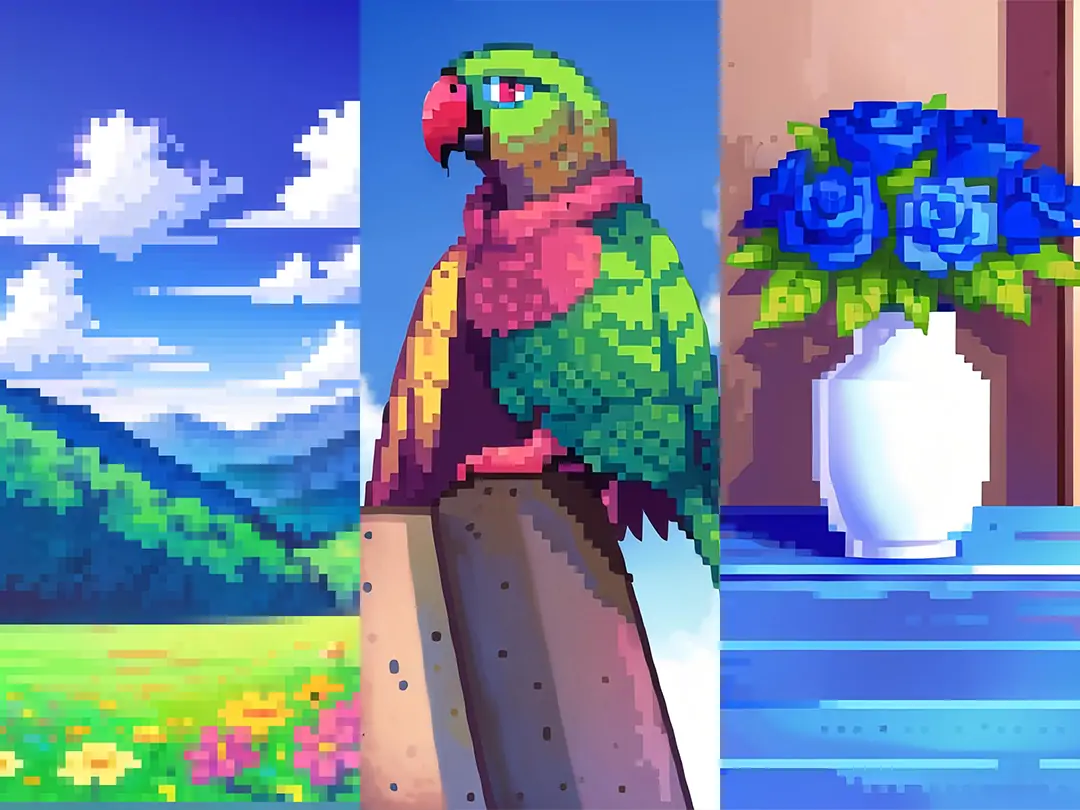
手描きのアートワークや写真は、Image to Pixelでピクセルアートに変換可能です。Image to Pixelによる各変換は、伝統的なアートとデジタルイノベーションを架け橋とする新たなビジュアルストーリーテリングのアプローチを生み出します。
写真をピクセルアートに変えるのは、Image to Pixelで簡単にできます。以下の3つのシンプルなステップを踏みましょう:
変換したい画像を選びましょう。セルフィー、風景、アートワークなどです。Image to Pixelは互換性を確保するために幅広いフォーマットに対応しています。
Image to Pixel内で8ビット、16ビット、レトロRPG、またはカートゥーンスタイルから選べます。各スタイルは重要なディテールを保ちつつ、特徴的なピクセルアート効果を適用するよう設計されています。
クリックしてピクセルアート画像を生成してください。Image to Pixelは数秒で高品質な結果を生み出します。作品をすぐに保存または共有でき、アーティストや愛好家にとって迅速かつ効率的なツールとなります。
イメージ・トゥ・ピクセルの使い方について、よくある質問への回答とともに、ピクセル化技術の習得を助けてください。
はい!Image to Pixelで作成した画像は、個人の楽しみや商業目的の両方で自由に使用できます。ユニークな商品のデザイン、ソーシャルメディアコンテンツの強化、ゲーム資産の作成など、ライセンス制限を気にせずに自由に使える自由を提供します。
Image to Pixelは、あなたのビジョンに合った幅広いクリエイティブスタイルを提供します。クラシックな8ビットや16ビットのルックから、レトロなRPG風グラフィック、魅力的なカートゥーン風ピクセルデザインまで、プロジェクトに最適なスタイルを簡単に選べます。どのオプションも細部を保ちつつ、イメージに懐かしさや遊び心のある雰囲気を与えます。
とんでもないです!画像からピクセルへの変換はシンプルに設計されているので、誰でもすぐに始められます。写真をアップロードし、ピクセルスタイルを選んで、AIに任せてください。技術的なスキルやデザイン知識、複雑なソフトウェアは必要ありません。高品質なピクセルアートを作るのがこれほど簡単で楽しいことはかつてありません。
もちろんです!Image to Pixelはピクセル密度をカスタマイズでき、細部のレベルを自由にコントロールできます。大胆で厚みのあるレトロな見た目でも、細かく細かいピクセル画像を求める場合でも、ノスタルジーと鮮明さのバランスを完璧に追求するために設定を調整できます。
はい、Image to Pixelはウェブとモバイルの両方のプラットフォームでシームレスに動作します。いつでもどこでも、スマートフォンやタブレットから直接ピクセルアートを作成でき、品質やスタイルを損なうことはありません。外出先でのクリエイティブさに最適で、どこにいても普通の写真を芸術的なピクセル傑作に変えることができます。
画像からピクセルへの変換は迅速で、通常は数秒で写真をピクセルアートに変換します。処理時間は画像サイズや選択したピクセルスタイルによって異なりますが、AIはすべての画像に高いディテールと鮮やかな色彩を保ち、ほぼ瞬時に印象的な結果を生み出します。
もちろんです。Image to Pixelはあなたのプライバシーを真剣に扱います。アップロードした画像はピクセルアートの生成のみに使用され、保存、共有、リークは一切ありません。元の写真が完全にプライバシーと安全であることを安心してピクセルアートを作成できます。
はい!画像がピクセル化したら、お気に入りの画像編集ソフトを使ってさらに強化・洗練できます。Image to Pixelは高品質な基盤を提供し、仕上げを加えたり、色の実験をしたり、他のクリエイティブプロジェクトと組み合わせたりする自由を与えてくれます。
複雑なソフトウェアは必要なく、写真をピクセルアートに変えます。China Video AIのImage to Pixelを使えば、画像を簡単に美しいピクセル作品に変身できます。レトロなアバター、ゲームアセット、パーソナライズされたアートワークなど、どんな場合でもImage to Pixelはあなたのビジョンを形にします。Image to Pixelを使えば、無限の芸術的可能性を探求し、シームレスで楽しく創造的なワークフローを楽しめます。
今日、理想のピクセルアートを作ろう