Lens Flares & Reflective Highlights
Minecraft Skin
 Sample
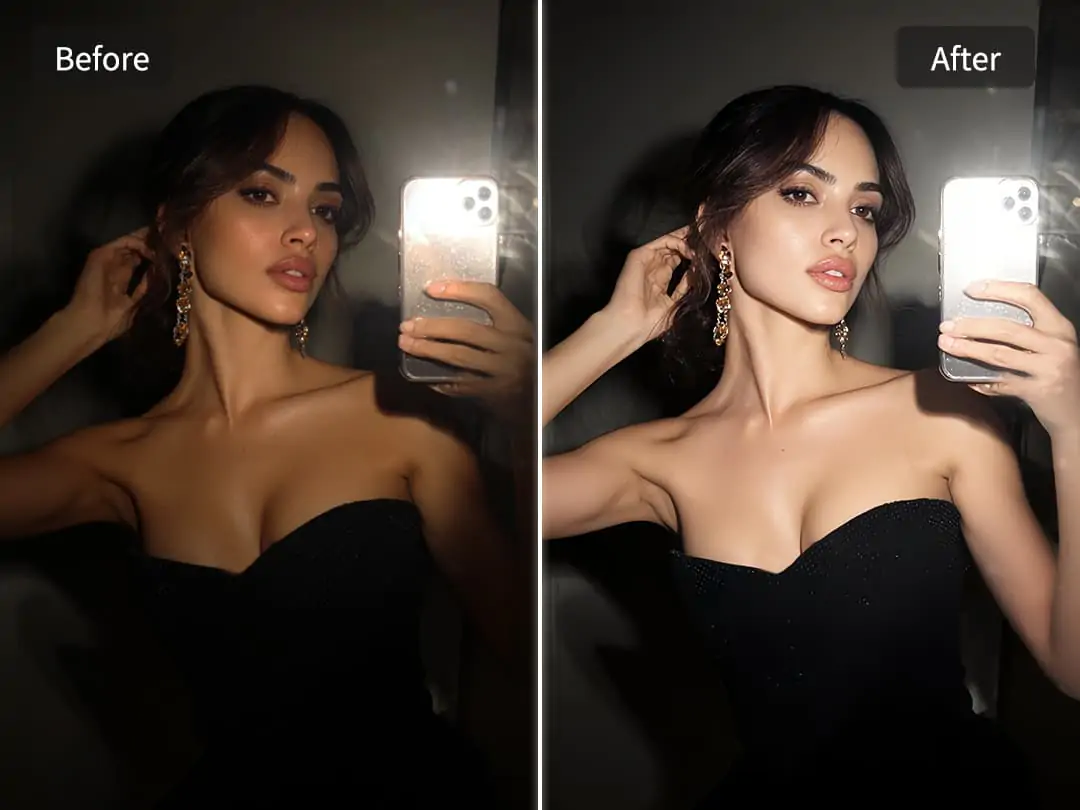
Transform your images with Light Effects and instantly add soft glows, dazzling highlights, or dreamy beams of light. With Light Effects, you don’t need professional lighting—every photo can achieve stunning depth, vibrant atmosphere, and cinematic artistry. Explore the power of Light Effects to enhance every detail, elevate your visuals, and bring your creative vision to life.
Create more premium AI videos with commercial usage and priority processing.
Allow other users to view your generated result.
Hide your prompt and uploaded source files from other users.
Waiting for Results
Complete the required inputs and click Generate.
AI Photo Effect
Transform your images with Light Effects and instantly add soft glows, dazzling highlights, or dreamy beams of light. With Light Effects, you don’t need professional lighting—every photo can achieve stunning depth, vibrant atmosphere, and cinematic artistry. Explore the power of Light Effects to enhance every detail, elevate your visuals, and bring your creative vision to life.
Try Light Effects NowLight Effects is designed to enhance the light and visual impact of your photos. By intelligently analyzing each image, Light Effects seamlessly blends light into your photos while creating dramatic, eye-catching atmospheres. Beyond simply enhancing natural light, Light Effects generates creative light patterns and effects that make every photo more vibrant, expressive, and visually captivating.
Minecraft Skin
Pinterest Image Generator
Sprite Sheet
More AI Photo Effect
Light Effects is more than a filter — it’s a creative enhancement tool that uses light and shadows to amplify visual storytelling. It transforms ordinary photos into cinematic, expressive images by carefully shaping light to craft mood, depth, and emotional resonance.
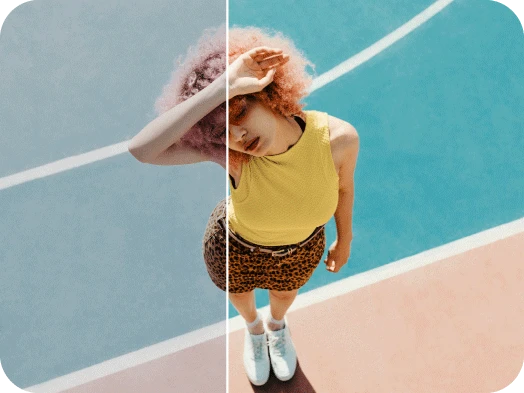
Light Effects is more than a filter — it’s a creative enhancement tool that uses light and shadows to amplify visual storytelling. It transforms ordinary photos into cinematic, expressive images by carefully shaping light to craft mood, depth, and emotional resonance.
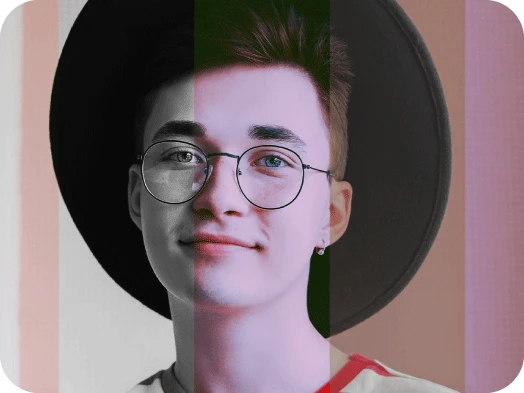
Light Effects is more than a filter — it’s a creative enhancement tool that uses light and shadows to amplify visual storytelling. It transforms ordinary photos into cinematic, expressive images by carefully shaping light to craft mood, depth, and emotional resonance.
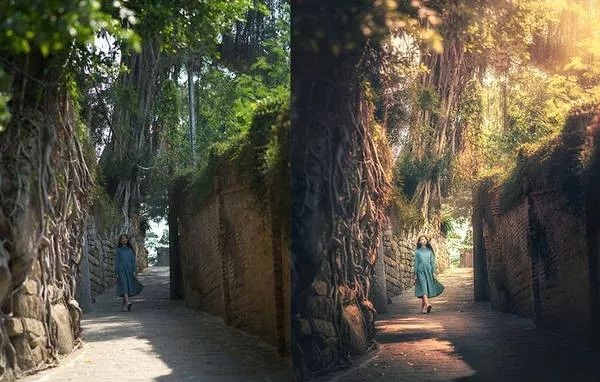
Light Effects is more than a filter — it’s a creative enhancement tool that uses light and shadows to amplify visual storytelling. It transforms ordinary photos into cinematic, expressive images by carefully shaping light to craft mood, depth, and emotional resonance.
China Video AI Light Effects is not just another photo editing tool. It combines cutting-edge AI technology with a user-friendly interface, making it the ideal choice for enhancing your photos with dynamic lighting effects. Whether you're a novice or a seasoned pro, China Video AI ensures that you get stunning, cinematic results without the hassle.
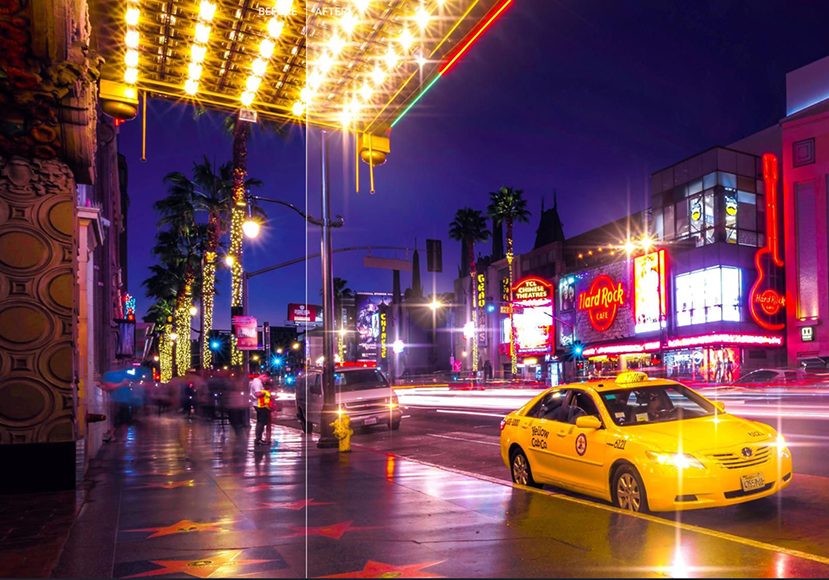
China Video AI Light Effects seamlessly integrates with other creative tools on the platform. Once you've enhanced your image with Light Effects, you can easily layer it with additional China Video AI tools, like adding text overlays, backgrounds, or even experimenting with other photo filters. This integration allows for endless creative possibilities and ensures a smooth, efficient editing workflow.
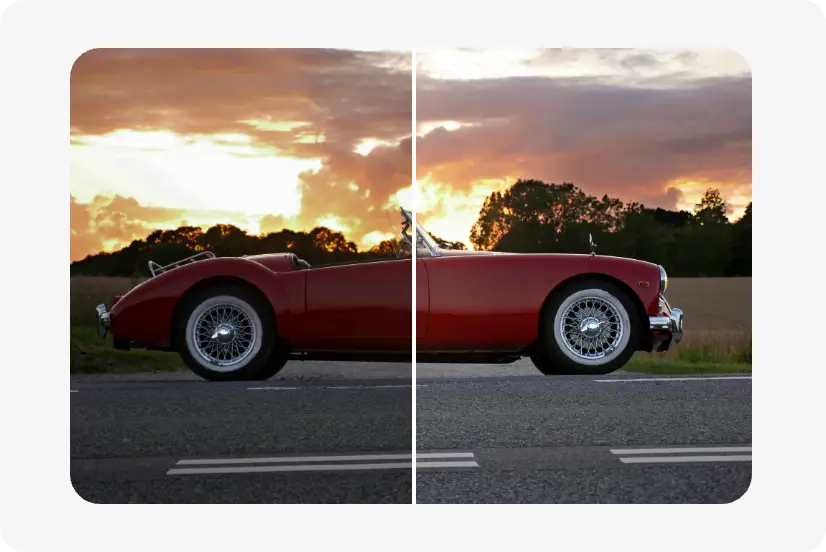
Every photo enhanced with Light Effects is processed in high resolution, preserving crisp details, vibrant colors, and refined lighting. China Video AI ensures that your images always look polished, professional, and ready to impress.
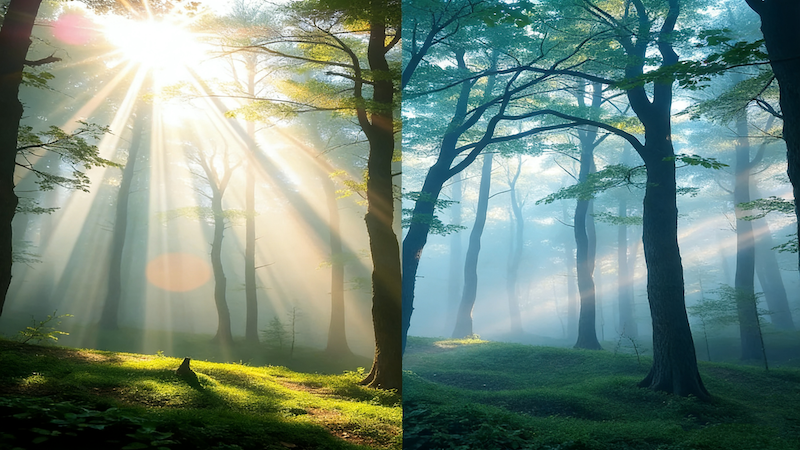
China Video AI Light Effects leverages advanced AI technology to analyze your photo’s lighting and apply the ideal effects based on the image’s existing light and shadow. This smart enhancement ensures that the lighting is balanced, creating depth and mood while maintaining a natural and professional look.

China Video AI Light Effects simplifies the photo enhancement process by automating light adjustments, making it fast and hassle-free. Uploading your photo is all it takes—there’s no need to spend hours learning complicated editing tools. With just a few clicks, your image is transformed with stunning lighting effects, ready for sharing or printing.
Light Effects makes it easy to enhance your photos with dynamic lighting effects. Simply upload your photo, and let the tool apply stunning light-based enhancements like soft glows, lens flares, and reflective highlights. These practical tips will help you get the most out of Light Effects, transforming your images into cinematic works of art.

Light Effects works best when you let the effects complement your photo without overcomplicating it. The tool automatically applies the ideal lighting to make your photo stand out, so you don’t need to worry about adjusting settings. Simply upload your photo, and let the preset light effects enhance your image in an effortless, impactful way.

Since Light Effects automatically enhances your photo with light-based effects, it’s important to choose images where the lighting can shine through. Portraits, landscapes, and still-life photos with natural light tend to work best, as the tool will highlight existing light and add a cinematic glow to your image.

For the best results, upload clear, high-quality images. Since the tool works by applying preset lighting effects to your photo, having a sharp, well-lit image will help enhance the overall effect, ensuring the lighting elements blend seamlessly with your photo for a more professional finish.
Light Effects helps emphasize both shadows and highlights, which can dramatically change the tone and drama of your photos. By selectively applying light to specific areas, you can add more contrast, draw attention to focal points, and make your images feel more powerful and emotionally engaging.
Discover how Light Effects can transform ordinary photos into captivating visuals. From enhancing mood and depth to highlighting key elements, each Light Effects application demonstrates how light can completely reshape the atmosphere of an image.
Light Effects can accentuate facial features with soft glows, backlighting, or gentle highlights, creating a natural yet captivating focus. By manipulating light subtly, portraits gain emotional depth, warmth, and cinematic quality, making every subject stand out beautifully.
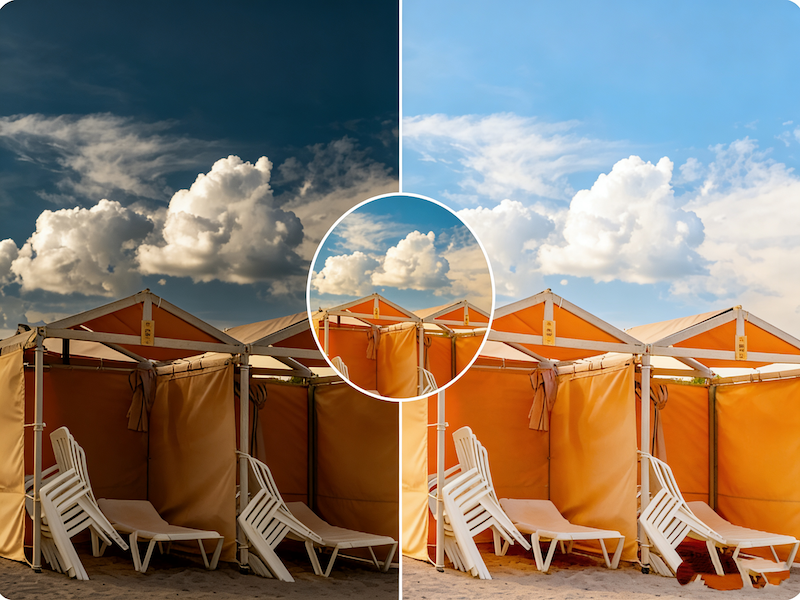
Use Light Effects to infuse landscapes with realistic sunlight, gentle lens flares, or ethereal glow effects. Light Effects brings out textures like foliage, water, and sky, enhancing depth and dimensionality while creating a visually immersive experience that feels alive and dynamic.
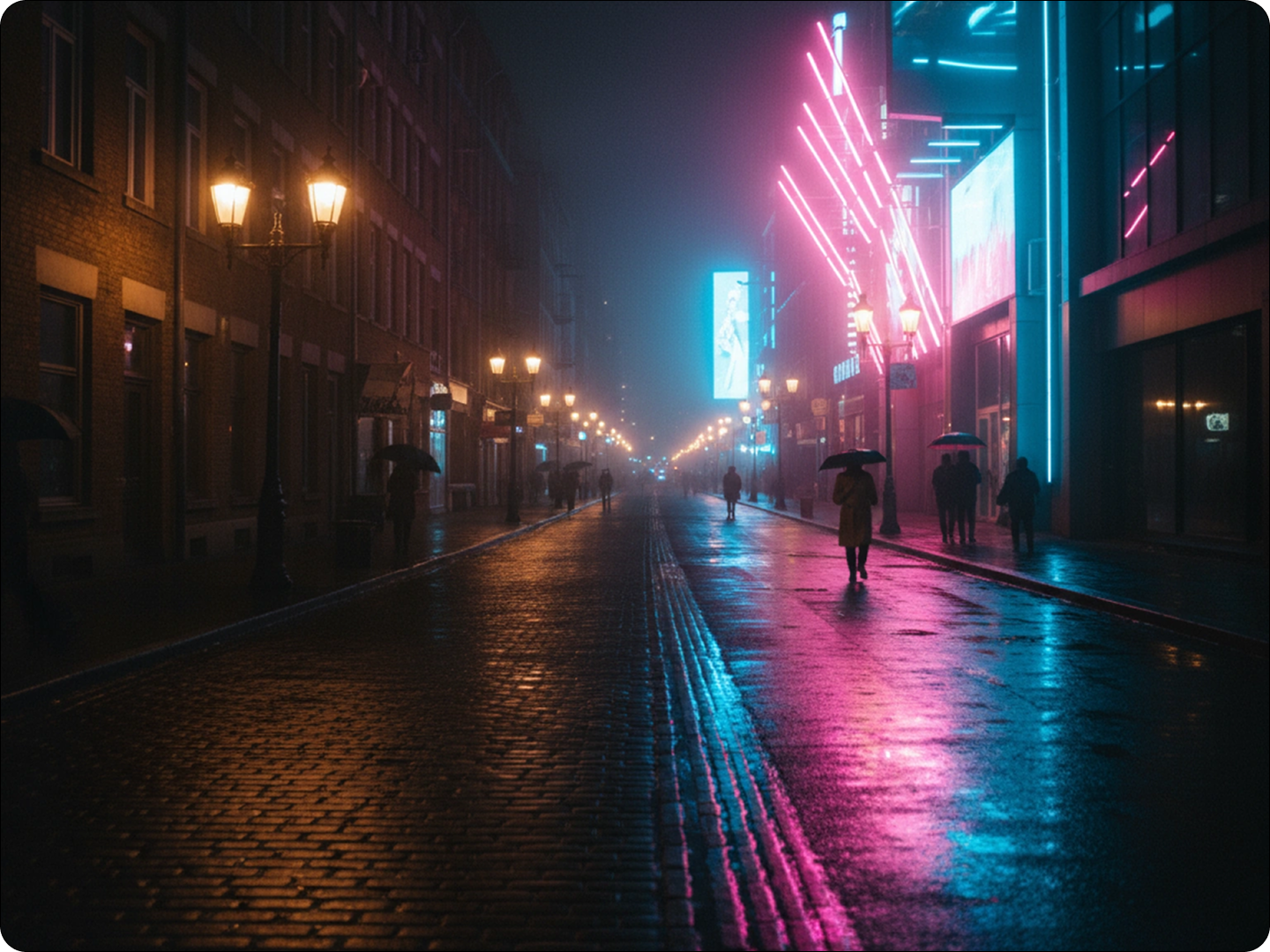
Light Effects can transform cityscapes by introducing neon highlights, reflective surfaces, or directional light beams. The interplay of Light Effects with shadows and architectural lines adds energy, vibrancy, and dramatic contrast, making nighttime or urban scenes visually striking and full of atmosphere.
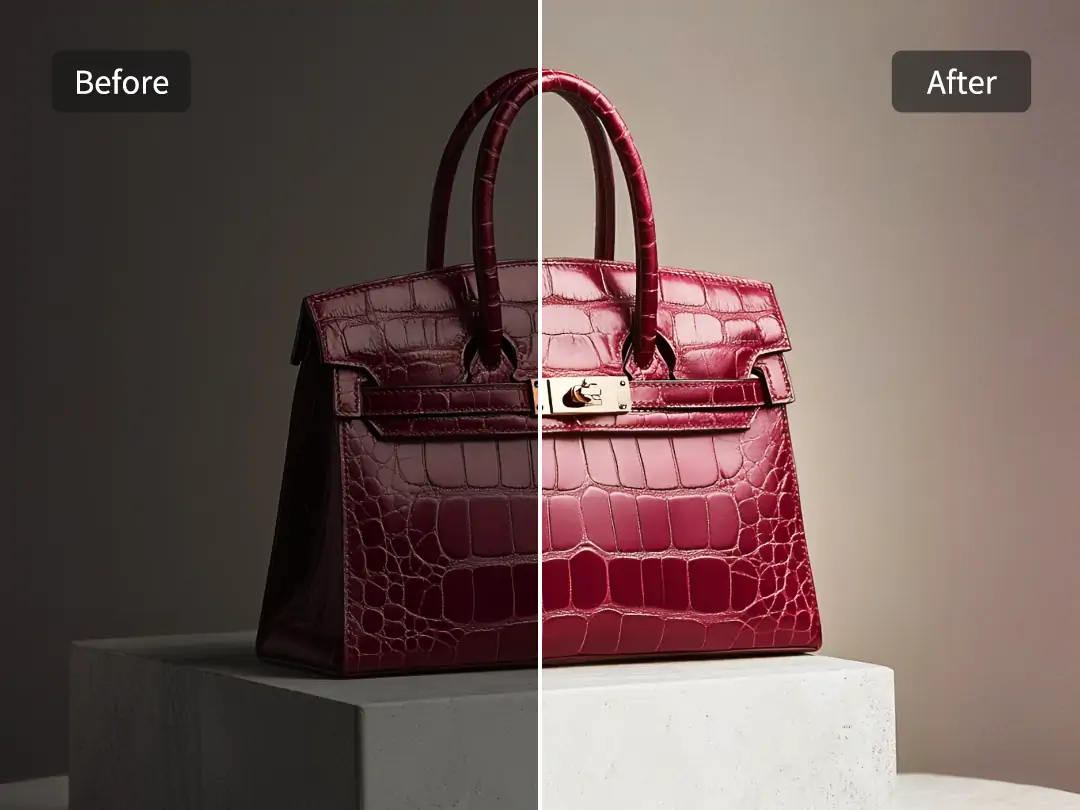
Light Effects enhances textures, edges, and surfaces in objects, adding soft glows, shimmer, or gradient lighting to highlight details. This makes still-life and product photography more visually appealing, emphasizing material quality and creating a professional, polished appearance that draws attention naturally.
You don’t need professional editing skills to transform your photos. With Light Effects, you can instantly add depth and atmospheric mood to any image. This intuitive tool analyzes your photo’s existing light and shadows, then applies creative glows and reflective highlights that enhance texture, detail, and visual impact.
Start by uploading any photo you want to enhance. Light Effects supports multiple formats and resolutions, ensuring your original details are preserved while giving the tool full access to analyze light distribution and spatial composition for optimal enhancement.
Browse a wide range of Light Effects styles. Each Light Effects option is designed to adapt seamlessly to your photo, instantly adding depth, dimensionality, and creative flair without manual masking or complex adjustments.
Fine-tune your Light Effects by adjusting intensity, brightness, saturation, and contrast to match your vision. Every change is rendered in real time, allowing you to see the impact immediately. Once satisfied, export your photo in high resolution, retaining all the richness and layered lighting created by Light Effects.
Have questions about how Light Effects works? Explore our FAQ to find answers to common inquiries and learn how to make the most of this powerful tool. From understanding how Light Effects enhances your photos to layering multiple effects, this section will guide you through every step of the process.
Have questions about how Light Effects works? Explore our FAQ to find answers to common inquiries and learn how to make the most of this powerful tool. From understanding how Light Effects enhances your photos to layering multiple effects, this section will guide you through every step of the process.
Light Effects can enhance almost any photo by intelligently analyzing light and shadow to add depth, texture, and dimensionality.
Absolutely. After uploading a photo and applying Light Effects, you can further enhance your image using other photo tools on China Video AI. Light Effects focuses exclusively on transforming your uploaded photos with glows and highlights, while seamlessly integrating with additional enhancements to refine details, boost visual depth, and maintain a professional, cinematic look.
Light Effects uses advanced algorithms to analyze the light and shadow in your images, automatically adjusting the brightness, contrast, and saturation to create a more dynamic and visually striking composition.
Light Effects supports the most common image formats, including JPG and PNG. You can easily upload your photos in these formats, and the tool will process them seamlessly.
You can easily undo or reset any applied effects by using the built-in reset option. This allows you to start over with your photo and experiment with different light adjustments without worry.
Yes, Light Effects is designed to be user-friendly for both beginners and experienced photo editors. You can apply the effects with just a few clicks, making it easy to create stunning images regardless of your editing skills.
Once you’ve applied the Light Effects to your image, simply click the download button to save the enhanced photo in high resolution, ready for sharing or printing.
Yes, you can experiment with multiple Light Effects and layer them on top of each other. Adjust each effect's intensity and blend them for a truly unique, customized photo.
With just a click, Light Effects can breathe new life into your photos. Unleash your creative potential and make every image shine with brilliance and allure. Transform your photos into visually captivating works of art with the power of Light Effects.
Experience the Magic of Light Effects Now