Intelligent Scene Generation
AI Ad Clone
Create more premium AI videos with commercial usage and priority processing.
Allow other users to view your generated result.
Hide your prompt and uploaded source files from other users.
Generate Result
Waiting for Results
Complete the required inputs and click Generate.
AI Video Effect
Using the AI Minecraft video generator, you can transform your imagination into lifelike and captivating Minecraft videos. With AI Minecraft, every block you place, every character movement, and every story moment comes to life in stunning detail.
Try AI Minecraft NowThis tool combines cutting-edge AI technology with the limitless possibilities of the Minecraft universe, providing a versatile AI Minecraft video creation experience that makes your video production simpler, faster, and more enjoyable.
AI Ad Clone
Add Music To Video AI
AI Product Video
More AI Video Effect
From architectural showcases to epic Minecraft adventures, AI Minecraft video generator brings your creativity to life.
From architectural showcases to epic Minecraft adventures, AI Minecraft video generator brings your creativity to life.
From architectural showcases to epic Minecraft adventures, AI Minecraft video generator brings your creativity to life.
From architectural showcases to epic Minecraft adventures, AI Minecraft video generator brings your creativity to life.
Whether for personal projects or professional showcases, AI Minecraft video generator provides creators with endless inspiration and practical applications. AI Minecraft can transform raw ideas into compelling Minecraft videos that engage audiences across multiple contexts.
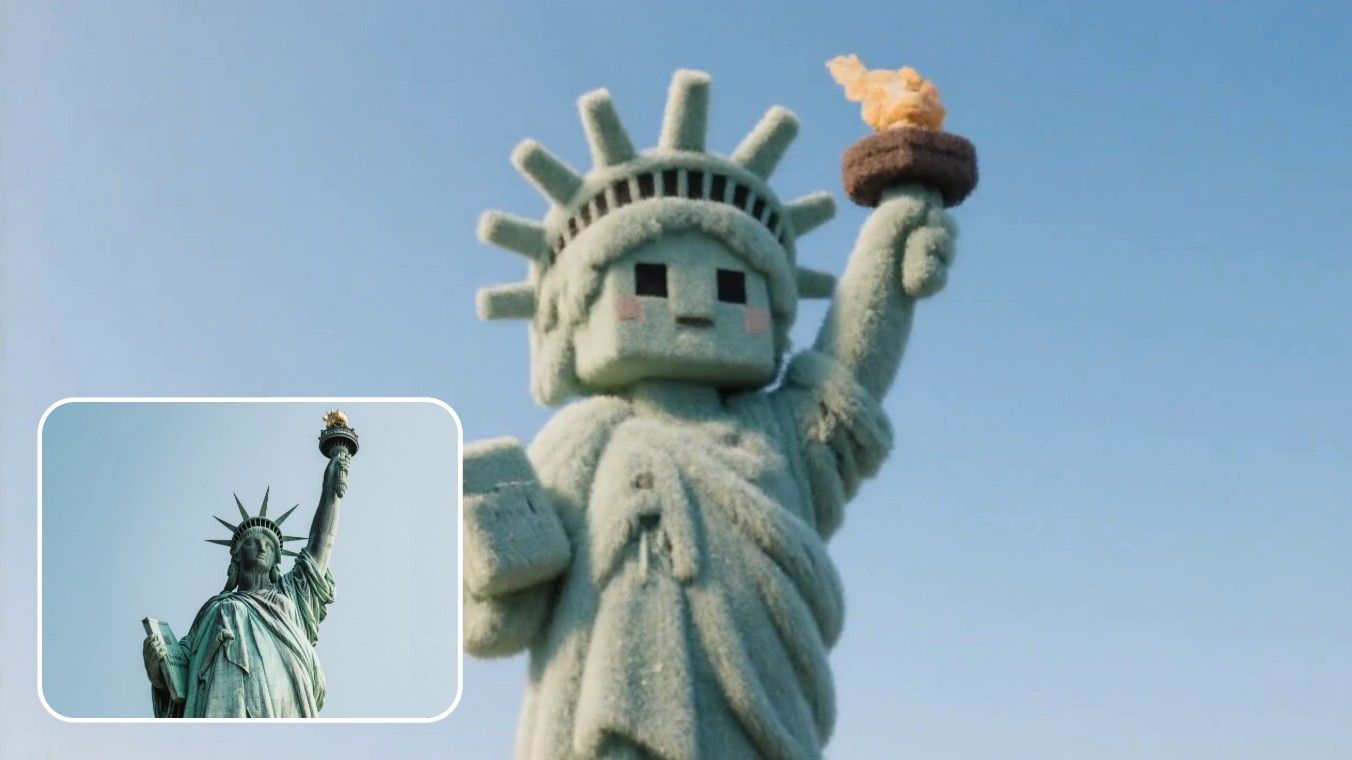
AI Minecraft’s proprietary algorithms ensure perfect synchronization of block movements and real-world actions throughout the video. This eliminates flickering and delivers smooth Minecraft cutscenes, allowing creators to produce cinematic Minecraft experiences effortlessly.
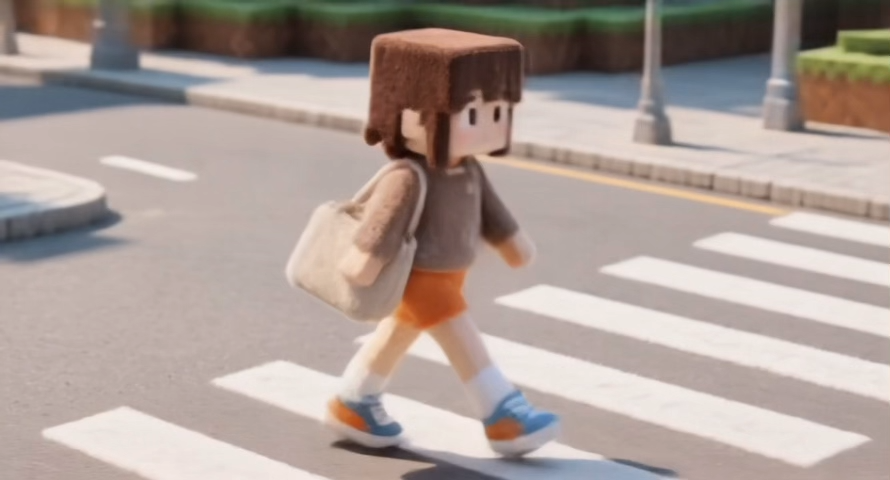
Minecraft enthusiasts and video creators can generate short films or video portfolios using AI Minecraft. These AI Minecraft videos highlight creativity and skill, providing a visually impressive medium to share Minecraft ideas.
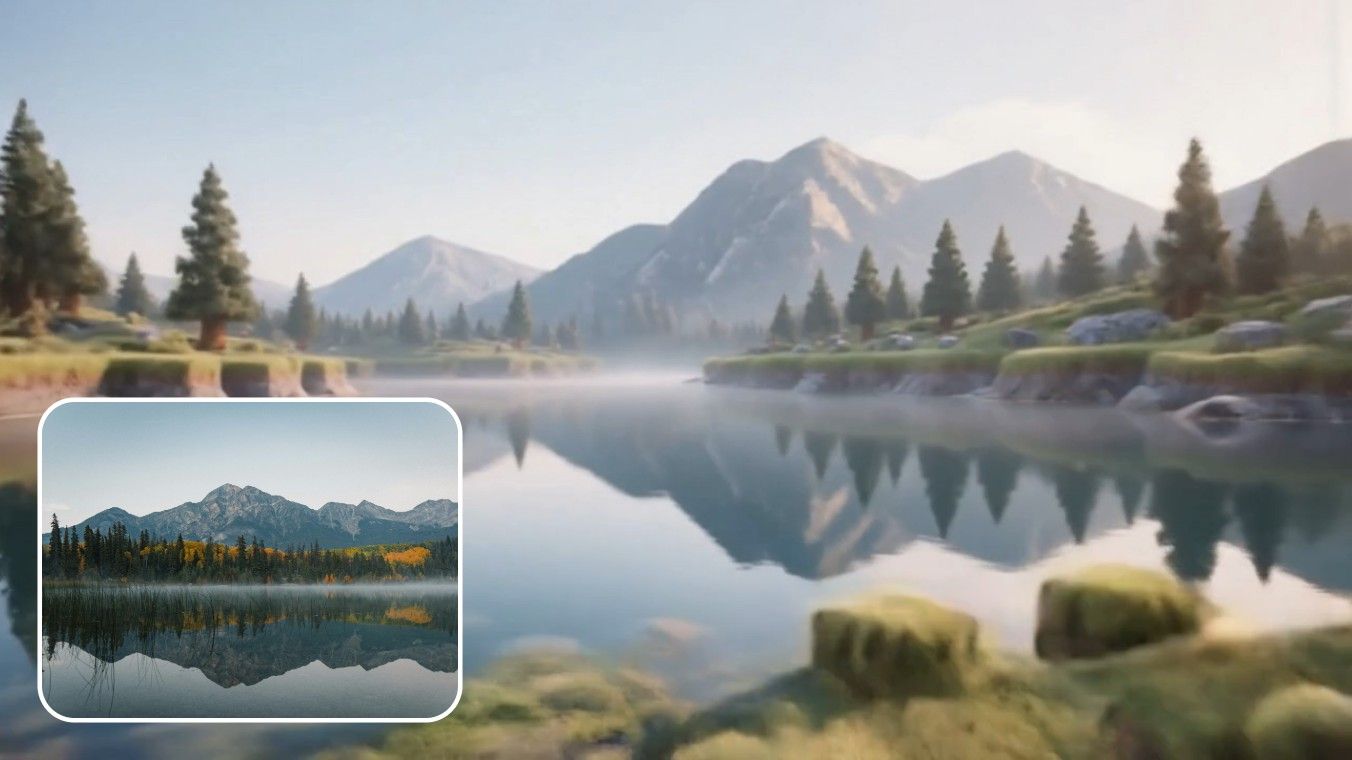
Use AI Minecraft to demonstrate building tutorials, adventure routes, or survival strategies in Minecraft. The AI Minecraft video generator makes complex tutorials easy to follow, producing clear and visually engaging instructional videos.
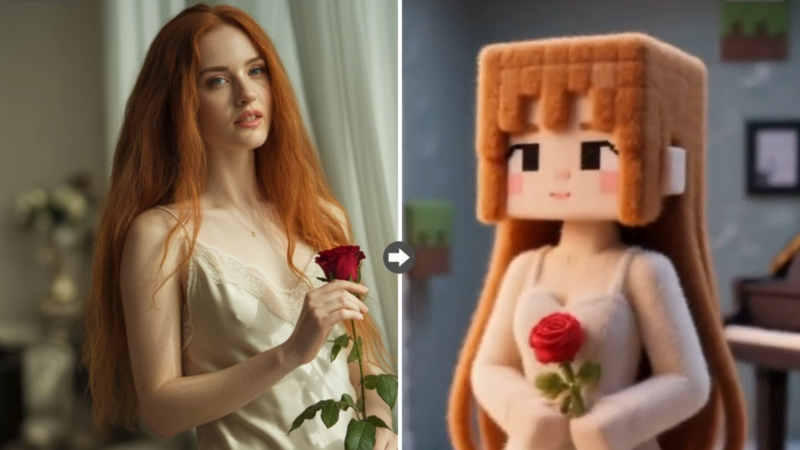
AI Minecraft videos are optimized for immediate sharing across multiple platforms. Whether posting on YouTube, TikTok, or social channels, AI Minecraft allows creators to reach a broader audience with visually compelling Minecraft content.
By combining AI intelligence with the Minecraft universe, AI Minecraft tools make video creation faster, smarter, and more creative. AI Minecraft enables creators to produce professional-quality Minecraft videos without technical barriers, making it accessible to beginners and experts alike.
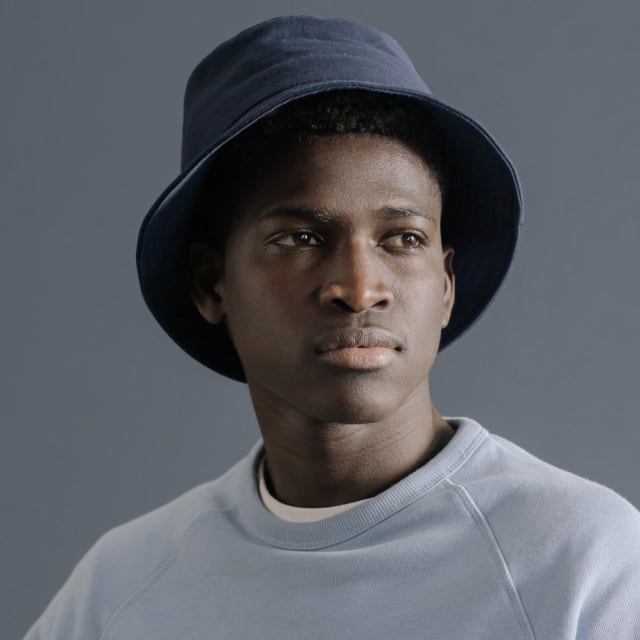
With AI Minecraft, no professional video editing skills are required. The platform handles all complex processes automatically, allowing creators to focus on ideas rather than technical limitations.

AI Minecraft automatically generates rich environments from textual descriptions or uploaded assets, letting your Minecraft videos feel expansive and detailed.
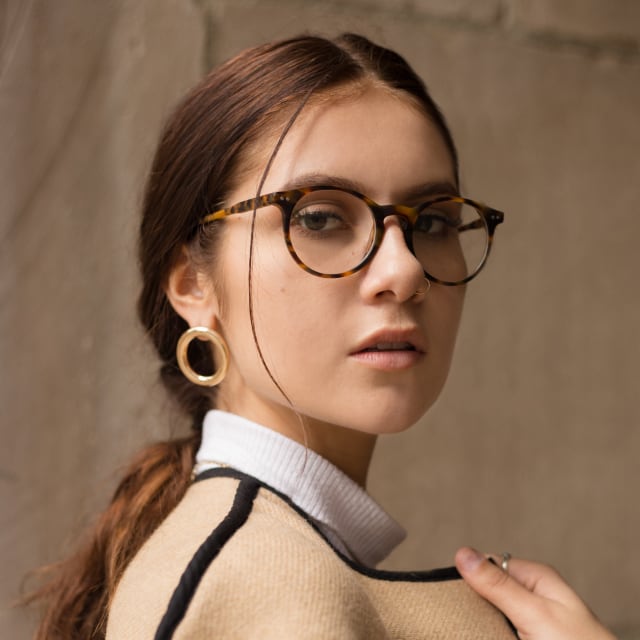
AI Minecraft provides flexible options for character actions, gestures, and facial expressions. Every movement in AI Minecraft videos can be finely tuned to match the story’s pacing and emotional tone.
AI Minecraft accelerates video production, producing high-quality Minecraft videos quickly without sacrificing visual fidelity.
AI Minecraft supports a wide range of Minecraft video styles, including adventure, storytelling, architectural showcases, and educational content.
AI Minecraft videos are fully compatible for use across social media, personal portfolios, and educational materials, ensuring creators maximize audience reach.
Explore an inspiring collection of videos created using AI Minecraft, showcasing the endless creative potential of this tool.
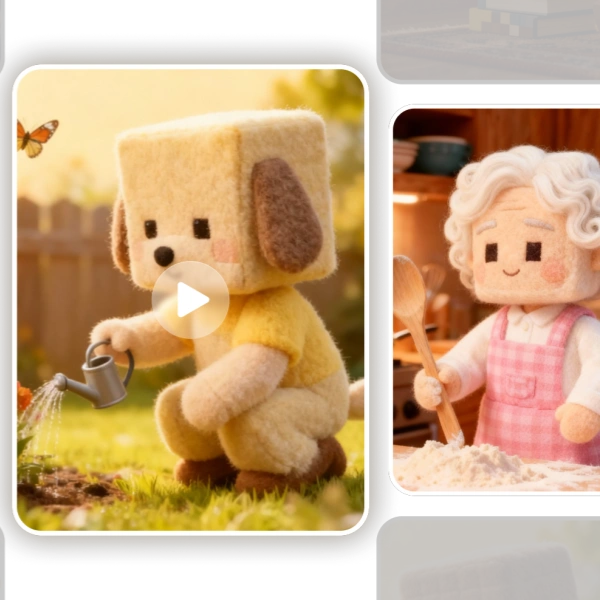
AI Minecraft automatically recognizes depth and object structures, converting real-world elements like people, trees, and buildings into volumetric Minecraft blocks.
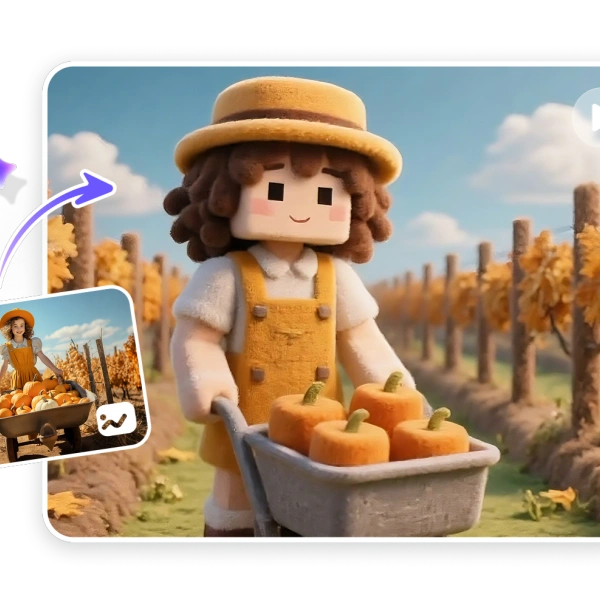
Despite the iconic block style, AI Minecraft videos offer extremely high-resolution output, ensuring that every texture and detail remains crisp even on 4K displays.
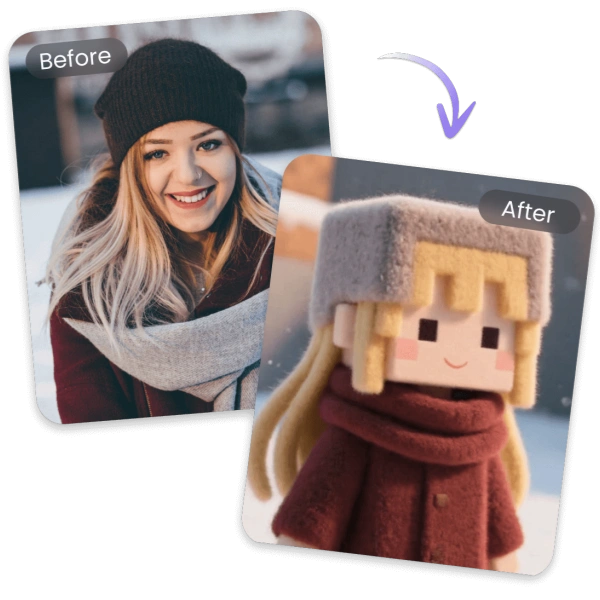
AI Minecraft perfectly preserves fluidity in movements, from running and jumping to complex combat actions, making Minecraft characters feel natural and lifelike.
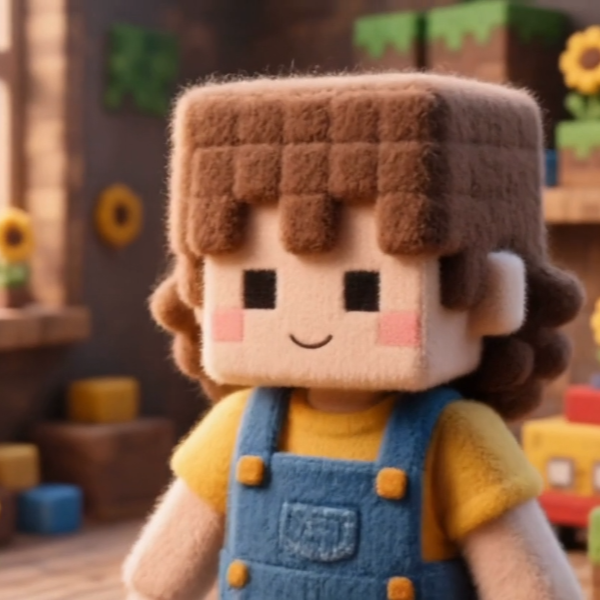
AI Minecraft allows observation from micro-level block details to expansive biome landscapes, creating cinematic Minecraft visuals with breathtaking scale and immersion.
With AI Minecraft, producing your own Minecraft videos is easier than ever. In just three straightforward steps, you can turn your Minecraft ideas into fully rendered cinematic content.
Select a suitable scene template in AI Minecraft, whether for adventure, architecture, or creative animation, to match your project’s goals.
Upload character images, screenshots, or textual descriptions, allowing AI Minecraft to interpret your creative vision accurately.
AI Minecraft automatically renders a high-quality Minecraft video. Once complete, you can download it instantly and share it with your audience or friends.
Here are the most common questions and answers regarding AI Minecraft video generation. AI Minecraft ensures a smooth experience for all creators, addressing concerns from technical requirements to output quality.
The generation time depends on the video length, complexity, and resolution chosen. Typically, short clips can be processed in a few minutes, while longer or highly detailed videos may take longer. The system uses optimized rendering algorithms to balance quality and speed, providing previews to check the content. Users can also queue multiple projects and monitor progress efficiently without needing manual intervention.
Yes, high-definition output is fully supported. Users can choose from standard HD resolutions to 4K quality, ensuring every block, texture, and detail appears crisp. The platform’s rendering engine preserves the visual fidelity of complex scenes, even when zooming in on small details. This makes the videos suitable for professional presentations, streaming, or displaying on large screens without losing clarity or quality.
Sharing is easy and flexible. Once a video is generated, you can download it in standard formats compatible with most social media platforms, including YouTube, TikTok, Instagram, and Facebook. Additionally, the platform provides guidance on optimal video settings for each platform. You can add captions, thumbnails, and custom metadata before posting, ensuring that your content reaches your audience in the best possible format and quality.
Yes, multiple characters can be included in a single video. You can control individual actions, interactions, and animations for each character, allowing complex scenes like group adventures, battles, or collaborative builds. The system automatically manages character collisions and spatial positioning to prevent overlaps or glitches. This enables highly dynamic scenes that are visually coherent and narratively engaging for viewers.
Yes, scene effects can be automatically applied. The platform supports lighting adjustments, environmental effects like rain or snow, particle effects, and special animations such as explosions or magic spells. Effects are synchronized with character movements and story pacing. Users can also fine-tune these effects manually, ensuring that every scene has the desired mood and atmosphere, while keeping the Minecraft aesthetic intact.
There is no strict limit on video creation, but processing time and system resources may affect extremely long or highly detailed projects. Users can generate multiple videos sequentially or in batches. The platform provides tools to manage rendering priorities, preview videos, and optimize content for faster processing. This ensures consistent quality and performance even when producing several complex Minecraft videos at once.
Yes, videos can be used commercially. Once generated, you have full rights to incorporate them into monetized projects, marketing campaigns, tutorials, or streaming content. The platform ensures that all Minecraft assets used in the creation process comply with licensing requirements. This allows creators to confidently use their videos in business contexts without legal concerns while maintaining creative freedom.
The platform accepts common file formats, including PNG, JPEG for images, and standard 3D model formats such as OBJ or STL if applicable. Users can also upload world saves and schematic files from Minecraft, which the system converts into video-ready content. The system validates each upload to ensure compatibility and prevents errors during rendering, providing guidance for adjusting file formats when necessary.
Experience AI Minecraft video generation now and bring your Minecraft ideas to life. Whether showcasing builds, telling stories, or creating educational content, AI Minecraft makes it simple and fast.
Start Your AI Minecraft Creative Journey Today