
Seedance 2 Mini Reference-to-Video Checklist
A practical checklist for using Seedance 2 Mini with image, video, and audio references so you can keep costs low, stay inside real runtime limits, and know when to move to a larger model.
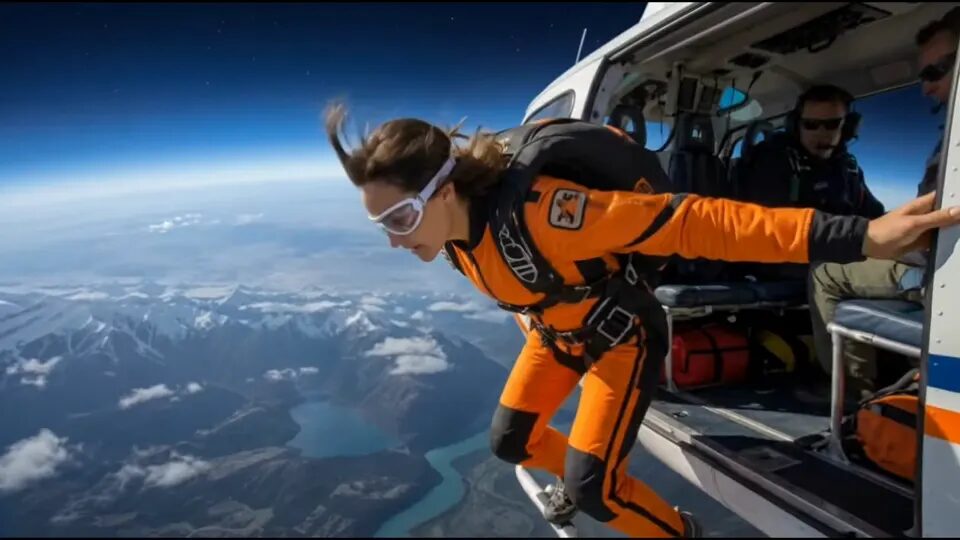
If you want the shortest honest answer, use Seedance 2 Mini when you need a cheap controlled first pass, not when you already know the shot will require expensive motion, higher output expectations, or repeated retries. Start at the China Video AI homepage if you are still organizing assets. When you are ready to test, open the Seedance 2 Mini workspace and run one short clip with the smallest useful reference package instead of throwing every image, video, and audio file into the first request.
This article is about the decision and review loop around Mini. If your goal is a finished product-commercial sequence, read the related AI product ad from one image guide after this checklist. For broader model context, keep the Chinese AI video models guide and the China Seedance landing page nearby while you compare options.
The short answer: Mini is for controlled first passes
Seedance 2 Mini is strongest when you have a clear subject, a narrow shot goal, and a reason to keep the first test cheap. That is the right moment to ask: can one reference image, one short motion cue, and one direct prompt already prove the idea? If the answer is yes, Mini is useful. If the answer is no because the scene already depends on dense choreography, higher-end polish, or long iterations, Mini may be the wrong first tool.
That distinction matters because many failures that people blame on the model are really packaging failures. The reference image is muddy. The reference video is too long. The audio reference is trying to solve pacing and emotion at the same time. The prompt keeps changing three variables per retry. When the package is messy, switching to a more expensive model often hides the workflow mistake instead of fixing it.
The best way to use Mini is to ask one narrow question per run:
- Can the subject stay coherent?
- Can the motion cue stay understandable?
- Can this reference package survive one short clip without obvious collapse?
If Mini can answer those questions cheaply, you have earned the right to spend more later. If it cannot, you still learned which part of the package is unstable.
1. What "reference-to-video" means on this site
On China Video AI, Seedance does not behave like a vague "add references somehow" checkbox. The runtime has named modes and hard limits. The model family supports text-to-video, image-to-video, first-last-frame, and advanced-reference behavior. In the current runtime, advanced-reference is not just marketing language. When you add reference images, reference videos, or reference audios, the request logic can treat the run as an advanced-reference case for pricing and mode normalization.
That matters because readers often assume every image-to-video run is equivalent. It is not. A plain image-to-video request is different from a multimodal request that also carries motion or audio guidance. The workflow question is not "should I upload everything?" The workflow question is "what is the minimum set of references that actually answers the shot?"
If you only need the subject identity, stay close to a simple image-led run. If you need the motion rhythm from a sample clip, bring one short reference video. If timing or sound cadence matters, add one short audio reference only after the visual package is already stable. This keeps the run explainable when it fails.
Reference package order:
1. one strong still for subject identity
2. one short motion cue only if movement is unclear
3. one short audio cue only if timing or beat is the unresolved problem
2. The real Mini limits you should design around
The practical checklist starts with the runtime limits, because those are the boundaries that shape every good prompt. In the current China Video AI code, the Seedance 2-series non-2.5 reference workflow supports up to 9 reference images, 3 reference videos, 3 reference audios, and 12 total reference assets. Timed references are expected to sit inside a 2 to 15 second window. For Mini specifically, the current image MIME handling is stricter than broader variants, and the current Mini output path is a 480p or 720p workflow rather than a "throw 4K at it" expectation.
This is why a checklist is more useful than a hype comparison. The wrong reader hears "supports references" and imagines that more references automatically increase control. In practice, too many references can make the shot harder to reason about. A useful package is not the largest legal package. It is the smallest package that cleanly communicates subject, motion, and timing.
Use the limits as a design tool:
- keep the first timed reference under the 15 second ceiling with room to spare;
- use one reference video before two or three;
- separate subject identity from motion style whenever possible;
- keep resolution expectations realistic for a Mini first pass;
- save the giant multimodal bundle for the stage where you already know the core shot is worth pursuing.
Mini-first packaging checklist:
- 1 main still
- 0 or 1 motion reference
- 0 or 1 audio reference
- short duration
- single scene objective
- explicit note on what must not change
3. When Mini is the right first model
Use Seedance 2 Mini first when the goal is evaluation, not full production certainty. Good Mini-first jobs include subject-preservation checks, cheap camera-move probes, timing experiments, and "is this concept even coherent?" validation. The model is a fit when the question is narrow and the cost of a wrong answer should stay low.
A common example is the first storyboard proof for an owned still. You do not yet need the final render. You need to know whether the subject can survive a push-in, a turn, a look shift, or a product reveal. Another strong use case is comparing prompt framing: one prompt that emphasizes subject coherence, another that emphasizes motion energy, and a third that strips out decorative language. Mini is a good first judge for which direction deserves a larger budget.
Mini is also useful when you are building a checklist for a team. A small test helps separate workflow failure from taste disagreement. If the subject drifts under Mini with a very clean prompt and a very clean still, that tells you the package still needs work. If the subject holds and the scene reads clearly, you can decide whether the remaining gap is quality, not control.
For a workflow driven by one character image and one motion clip, the Kling 3 Motion Control troubleshooting guide gives you a stricter input checklist and a one-variable retry sequence.
4. When Mini is the wrong first model
Mini is the wrong first choice when the unresolved problem is already scale rather than clarity. If the team already knows the subject package is strong and the main demand is bigger motion, higher output expectations, more complex reference combinations, or a longer final clip, starting on Mini may only create one extra evaluation step.
It is also the wrong first model when the prompt is trying to solve too many jobs at once. If one run is supposed to preserve the character sheet, copy the motion of a reference clip, align with an audio rhythm, produce publishable texture detail, and survive several scene changes, you are no longer asking a "cheap first pass" question. You are asking for production-level certainty. Even when Mini technically accepts the request, the workflow may become harder to debug because you do not know which variable caused the collapse.
The better rule is simple: if your failure diagnosis will still be useful after a cheap run, start on Mini. If a cheap run will only tell you what you already know, move directly to the stronger tier once the inputs are stable.
5. Build the smallest useful reference package
The fastest way to waste credits is to upload references in the order you found them on disk. Instead, build the package by role. Start with the subject source. Then decide whether motion is still unclear. Then decide whether audio timing is still unclear. That sequence keeps every addition accountable.
Use this reference brief before every Mini run:
Subject source:
- Which still or frame defines the subject identity?

Motion source:
- Which single movement should the clip inherit?

Timing source:
- Is rhythm unresolved enough to justify one audio reference?

Hard boundaries:
- What must not change?
- What can vary?
This forces you to think in constraints rather than assets. A single clear frame can often do more than five average frames. One short motion example can do more than three unrelated video clips. One audio reference is more useful when it answers tempo or beat placement, not when it tries to fix an already unstable visual brief.
6. Prompt Mini like a checklist, not a poem
Mini benefits from prompts that behave like instructions rather than mood boards. The model does not need a pile of adjectives before it understands what to keep. Put the shot logic first. Put atmosphere second. Put exclusions third. Keep the reader-facing question in mind: what should survive the clip when I watch it back?
Here is a reliable first-pass prompt skeleton:
Subject: keep the same subject identity from the reference.
Action: describe one primary action only.
Camera: specify one movement and one framing decision.
Timing: keep the shot short and describe the start/end emphasis.
Exclusions: no extra objects, no identity drift, no unreadable invented text.
What usually breaks the run is not a lack of style words. It is a lack of instruction hierarchy. If the prompt asks for "cinematic, emotional, dynamic, futuristic, premium, dramatic" before it states what the subject should actually do, the retry becomes hard to interpret. You do not know whether the model failed the subject, the motion, or the atmosphere request.
Keep the first pass plain enough that a second person can diagnose it in one read. If the shot improves only when the prompt becomes wildly decorative, the real problem may be that the reference package is still underspecified.
7. Run one short test and log what changed
The first Mini run should be cheap and short on purpose. You are buying information. The test is successful if it tells you what should happen next. That may mean "Mini is enough." It may also mean "the subject is stable but the motion cue is weak." Either outcome is useful.
Keep an experiment log that changes one variable at a time:
Run ID: mini-pass-01
References: 1 still, 1 video
Goal: test subject coherence under a slow push-in
What changed: removed extra style phrases
Result: subject held, ending softened, motion still usable
Next step: keep package, test stronger motion only
The point of the log is not bureaucracy. It is to stop yourself from rewriting the whole request after every failure. When one line says what changed, the next retry has a reason to exist. This is especially important in Mini-first workflows because the whole value proposition is cheap, interpretable iteration.
8. Know when to promote the workflow to Fast or standard
Mini should earn the right to be replaced. Promote the workflow only after the references and the prompt are already stable enough that the remaining problem is capability, not confusion. That is when a stronger or more expensive model tier gives you something new instead of covering for a weak setup.
Use this decision checklist:
Stay on Mini when:
- the subject package is still changing
- the camera brief is still unclear
- you only need a short proof of concept

Move up when:
- the subject is stable
- the remaining issue is quality or complexity
- retries are costing more than a stronger first pass would
This is also where the Chinese AI video models guide becomes useful. It is not there to replace hands-on testing. It is there to help you decide whether you are dealing with a model-fit problem, a cost-fit problem, or a workflow-fit problem. If Mini keeps failing for the same reason after the package is already stable, moving up is sensible. If the failure reason keeps changing, you probably still need a cleaner package.
9. Watch for the failure types that actually matter
Mini-first workflows usually fail in predictable ways. The subject drifts. The motion cue overwhelms the identity. The audio reference pulls timing away from the visual action. The shot is technically acceptable but too soft to justify further spend. The key is to label the failure correctly before switching models.
Use this diagnosis loop:
If the subject changes:
- remove extra references
- strengthen the identity line

If the motion feels wrong:
- shorten the motion reference
- cut to one camera instruction

If timing collapses:
- remove audio first and retest visuals

If quality is the only gap:
- keep the package and promote the model tier
That last line matters. "Quality is the only gap" is the upgrade signal. Not "I am frustrated." Not "the result looks different." If the subject, motion, and timing logic are already coherent, then a stronger tier may help. If those three things are not coherent, changing the model may only make the diagnosis slower.
10. Use owned pages as the next step, not as clutter
This article should send the reader to the next useful action, not bury them in a footer dump. If you are still deciding whether Mini belongs in your workflow, review the China Seedance page for broader model positioning. If you want to compare Mini against non-Seedance options, use the Chinese AI video models guide. If you are cross-checking whether image-led or prompt-led generation is the better starting point, open text-to-video next to the Mini workspace.
The key is sequence. Start from the homepage if you are still collecting references. Move to the Mini workspace when the package is clear enough for one short run. Move to the model guide only after the package itself is no longer the problem. That order keeps the user from confusing platform navigation with workflow progress.
If your real goal is a commercial sequence instead of a reference test, continue with the related AI product ad from one image guide. That article starts where this checklist ends: once you already know the package can survive one stable clip.
If the package still fits Seedance but now needs larger multimodal headroom, continue with the Seedance 2.5 reference-to-video guide before you switch model families.
The video above is not proof that every Mini run will look the same. It is there to make the review criteria concrete. Watch for subject coherence, camera readability, and whether the clip tells you something actionable about the next step.
11. Final release checklist before you spend more
The final rule is simple: do not spend larger credits until the cheap checklist has answered the right question. Your first pass does not need to be pretty. It needs to be diagnostic.
Use this final checklist before you promote the workflow:
- the still reference is clean
- every timed reference fits the real runtime limits
- the prompt asks one main question
- the failure type is named
- Mini has already answered the cheap first-pass question
- the remaining gap is quality, not confusion
Go back to the China Video AI homepage if you still need to organize the asset package. Go straight to the Seedance 2 Mini workspace if the package is already small, clear, and ready for one short test. That is the whole point of this checklist: spend a little, learn something clear, and only then decide whether the workflow deserves a more expensive run.
Frequently asked questions
What is the best use case for Seedance 2 Mini?
Seedance 2 Mini is best as a cheap first pass when you want to test one reference package, one prompt direction, and one short clip before spending more on a larger run.
Does Seedance 2 Mini support reference video and audio?
In the current China Video AI runtime, Seedance 2 Mini can move into advanced-reference behavior when you add reference images, reference videos, or reference audios.
How long can my reference video be?
The current Seedance 2-series runtime in this project treats timed references as a 2 to 15 second range for non-2.5 models, so keep Mini reference video and audio assets inside that window.
How many references should I start with?
Start with the minimum package that answers the shot. One strong image and one short motion reference are easier to debug than a full stack of mixed assets.
When should I switch from Mini to Fast or standard?
Switch after your reference package is stable and the remaining problem is resolution, motion complexity, or repeated retries rather than unclear inputs.
Where can I test this checklist?
Open the China Video AI image-to-video workspace with Seedance 2 Mini preselected, upload the smallest useful reference package, and run one short clip first.
When the reference package needs separate identity, motion, and audio roles, continue with the MiniMax H3 reference-to-video guide.