
Seedance 2.5 Reference-to-Video Guide
A practical guide to packaging image, video, and audio references for Seedance 2.5 so you can use multimodal control without mixing incompatible inputs or wasting retries.
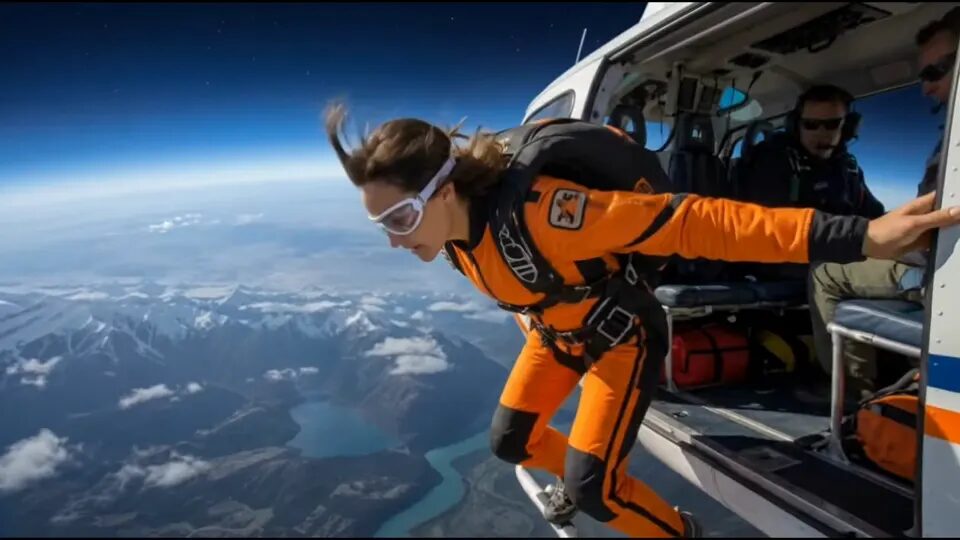
If you need the short answer first, use Seedance 2.5 reference-to-video when one image cannot carry the whole shot by itself. The model is strongest when you need to combine identity, motion, and timing, but it only feels controlled when every reference has one clear job. Start at the China Video AI homepage if you are still organizing assets. When you are ready to test, open the Seedance 2.5 workspace and run one short clip with the smallest useful package instead of uploading every image, motion sample, and audio file you have.
This guide is about the package design and review loop for Seedance 2.5. If you only need a cheap first pass, the related Seedance 2 Mini reference-to-video checklist is the better starting point. If you already know the shot needs heavier subject, motion, and audio separation, compare this workflow with the MiniMax H3 reference-to-video guide. For model context and route selection, keep the Chinese AI video models guide, the China Seedance page, and the AI product ad from one image guide nearby.
The short answer: reference-to-video is a packaging problem
Most Seedance 2.5 failures are not caused by a lack of creativity in the prompt. They happen because the reference package is trying to solve too many jobs at the same time. One image is supposed to define subject identity, one motion clip is supposed to define camera rhythm, one audio clip is supposed to define timing, and the prompt is still trying to redesign the scene. When each layer is ambiguous, the result looks random even if the model is behaving consistently.
The better way to think about Seedance 2.5 is this: reference-to-video is a packaging problem before it becomes a prompting problem. You are not trying to impress the model with a giant bag of assets. You are trying to hand it the minimum set of references that answers one shot clearly enough that a human reviewer can tell what failed next.
That is why the first run should be small, deliberate, and reviewable. You want to know whether the subject stays coherent, whether the motion cue carries over, whether the timing reads correctly, and whether the clip contains enough usable frames to justify scaling up. If the first run cannot answer those four questions, adding more assets usually makes the next retry harder to diagnose.
1. What Seedance 2.5 reference-to-video means on this site
On China Video AI, Seedance 2.5 is not just an abstract "supports references" claim. The current runtime exposes a distinct multimodal path with support for reference images, reference videos, reference audios, and prompt reference bindings. The workspace also lets you deep-link directly into Seedance 2.5 on image-to-video, which matters because this article is describing the current product flow rather than a generic Seedance promise from another platform.
The important operational detail is that the site treats references as structured controls. The request normalization logic can keep lists of reference images, reference videos, and reference audios. The UI also exposes @Image, @Video, and @Audio style bindings so the prompt can point to a specific asset instead of speaking about the entire package vaguely. That lets you give one still the identity job, one motion clip the camera job, and one audio clip the timing job.
This is different from a simple one-image animation workflow. If all you need is one first frame and a short controlled reveal, a simpler path may be enough. Reference-to-video becomes useful when the shot needs more than a still can provide, but you still want the package to stay explainable to a human reviewer.
2. The first hard rule: pick one control path
The first rule is the one most people skip: decide whether the shot is a first or last frame problem, or a multimodal reference problem. In the current China Video AI runtime, Seedance 2.5 does not let you combine first or last frame controls with multimodal references in the same request. That is not a stylistic recommendation. It is a real validation rule in the product flow.
If you ignore that separation, the workflow collapses before you even get to useful creative iteration. The fix is straightforward. Use first or last frames when the shot is mainly about a controlled visual endpoint. Use multimodal references when the shot needs image, motion, or audio cues working together. Do not try to force both paths into one run.
Pick one path first:
- first / last frame when endpoints are the main problem
- multimodal references when identity, motion, or timing need extra control
- never combine both paths in one Seedance 2.5 request on this site
This one decision removes a lot of fake complexity. It also keeps your debugging honest. If a run fails, you know whether the issue came from a frame-led approach or a reference-led approach instead of blending both into one unreadable experiment.
3. The real Seedance 2.5 limits that matter here
Official Seedance 2.5 messaging emphasizes longer outputs and larger multimodal packages, and that is useful context. But release notes alone are not enough for a working production guide. For a real workflow, you need the current site limits, because those are the boundaries your actual request will be validated against.
In the current China Video AI runtime, Seedance 2.5 supports up to 30 reference images, 10 reference videos, and 10 reference audios. Each timed video or audio reference must stay between 2 and 30 seconds. The combined duration of reference videos is capped at 30 seconds, and the combined duration of reference audios is also capped at 30 seconds. That sounds generous, but the practical lesson is not "use the biggest legal package." The practical lesson is "stay small enough that each asset still has one reason to exist."
Current Seedance 2.5 reference boundaries on this site:
- up to 30 reference images
- up to 10 reference videos
- up to 10 reference audios
- each timed reference: 2 to 30 seconds
- total video reference duration: 30 seconds
- total audio reference duration: 30 seconds
Those limits give you room to build a serious package, but a serious package is not the same thing as a bloated one. If the first run already contains six identity frames, four motion samples, and two audios, your next retry will be harder to read than the first one. In most useful first passes, one to three images, one motion cue, and optionally one short audio cue are enough.
4. Give every reference one job
The most reliable way to package Seedance 2.5 is to assign one job to each reference before you write the prompt. That sounds basic, but it changes the whole review loop. Instead of thinking "I have eight good assets," you start thinking "which asset owns subject identity, which one owns movement, and which one owns timing?"
Use a short role sheet before every run:
Reference roles:
- identity reference: the still or frame that defines what must not change
- motion reference: the clip that demonstrates the camera move or body rhythm
- timing reference: the audio cue that defines beat or pacing
- optional support images: only if they resolve a real ambiguity
This does two useful things. First, it stops you from uploading duplicates that compete with each other. Second, it makes failures easy to classify. If the identity drifts, you inspect the identity reference and the identity line in the prompt. If the timing feels wrong, you inspect the audio cue instead of rewriting the whole shot description from scratch.
One of the easiest mistakes is making the motion reference also responsible for style, background design, and subject identity at the same time. That only works when the clip is already nearly the answer. In most cases, you want references that stay narrow. The still should define the subject. The motion clip should define motion. The audio clip should define rhythm. Once those jobs are separated, the retries become much more informative.
5. Start with the smallest useful package
Seedance 2.5 can accept a large multimodal package, but that does not mean your first run should. The smallest useful package is usually the one that answers a single shot with the fewest moving parts. Start there, even if the eventual sequence will become more complex.
For many shots, the smallest useful package looks like this:
Package A:
- 1 identity still
- 1 short motion reference
- no audio
- one direct prompt
If the motion works but the timing still feels off, then you add one short audio cue:
Package B:
- 1 identity still
- 1 short motion reference
- 1 short audio cue
- the same core shot prompt
If the shot still cannot hold identity, do not add five more assets immediately. First ask whether the identity still is actually the best identity still. The point of a small package is that it lets you isolate the failure. When you start large, you lose that advantage.
This is also where Seedance 2.5 differs from a cheaper first-pass workflow. The model has enough headroom that people are tempted to throw everything into one run. In practice, the best use of that headroom is later, after the small package has already proved the idea.
6. Write prompts that point at references explicitly
Seedance 2.5 is easier to control when the prompt behaves like a brief instead of a poem. On this site, the multimodal UI supports explicit reference bindings, which means you do not need to speak about "the references" as one vague pile. You can write instructions that tell the model which asset handles which part of the request.
Use a prompt pattern like this:
Use @Image1 as the subject identity reference.
Use @Video1 for camera rhythm and movement pacing.
Use @Audio1 only for beat timing, not for scene redesign.
Keep the same subject silhouette, material, color, and label placement.
Create one short shot with one camera move and one dominant action.
Do not add extra objects or invented text.
That structure is boring in the best possible way. It makes the request auditable. A reviewer can see what each reference is supposed to do, and you can change one line at a time without losing track of the experiment. The first pass does not need stylistic fireworks. It needs enough clarity that the second pass can be smarter instead of noisier.
Another good rule is to keep one sentence for what must stay fixed and one sentence for what is allowed to change. A lot of drift comes from prompts that say "cinematic, energetic, premium, dynamic, futuristic" without ever saying what the subject is not allowed to become.
7. Budget your 30-second room carefully
The existence of longer Seedance 2.5 clips changes how people think about pacing, but it should not trick you into making the first run longer than the question requires. Longer duration is useful when the shot design is already stable. It is expensive confusion when the package still has basic identity or timing problems.
Treat 30 seconds as room you earn, not room you consume automatically. A strong workflow often starts with one short test that verifies the package, then a second run that expands the same logic. That sequence is much easier to debug than asking the first run to hold a full half-minute of creative intent.
Use a duration ladder like this:
Duration ladder:
- 4 to 6 seconds for package verification
- 8 to 12 seconds for stronger motion proof
- longer clips only after identity, motion, and timing survive review
This is especially important when you add audio references. A short audio cue can be valuable for timing, but if you pair it with a long clip before the visual package is stable, you are debugging multiple moving parts at once. Shorter tests keep the review loop honest.
8. Know when Seedance 2.5 is the right tool
Seedance 2.5 is a good fit when the shot needs more than a simple image-to-video baseline but does not yet require a completely different workflow. Product reveals, branded motion tests, creator sequences with clear beat timing, and short multi-reference scenes are all strong candidates because they benefit from extra control without forcing you to rebuild the whole pipeline.
It is also a good middle ground when Mini is too small and you do not need to switch the problem into a fully different reference strategy. For example, if a product-shot workflow already proved that one still can hold identity but the camera rhythm is still weak, Seedance 2.5 is a reasonable next step because you can add a motion reference without abandoning the same core route.
If you are still deciding which family fits the task, compare one narrow shot across the Seedance 2 Mini checklist, this Seedance 2.5 guide, and the MiniMax H3 reference-to-video guide. The question is not which model is "best" in the abstract. The question is which workflow answers the current shot with the fewest unknowns.
9. Diagnose failures by failure type, not by frustration
When a Seedance 2.5 run disappoints you, classify the failure before you rewrite anything. That sounds slow, but it saves retries.
Use this failure table:
If the subject drifts:
- inspect the identity still
- reduce extra visual adjectives
- restate what must not change

If the motion is wrong:
- shorten the motion reference
- remove competing movement descriptions
- keep one camera instruction only

If the timing feels wrong:
- trim the audio cue
- explain whether the audio controls beat, mood, or pace
- avoid using audio to fix an unstable visual package
The important thing is that each failure type points to a different repair. Identity drift is not solved the same way as bad timing. Bad timing is not solved the same way as a muddy motion cue. Once you name the failure correctly, the next retry becomes small and rational instead of emotional.
This is where a written run log helps:
Run ID: seed25-ref-01
Package: 1 still, 1 video
Goal: verify subject identity through a slow reveal
Observed issue: motion held, identity softened at the ending
Next change: keep package, tighten identity line, shorten clip
That log is not bureaucracy. It protects you from changing five variables because the first run "felt off." If you change one thing and the result improves, the workflow becomes transferable to the next project.
10. Review the clip like an editor, not a fan
The final review question is not "does this look cool?" It is "would I know what to fix next if this were the first pass?" Editors look for usable frames, stable subject identity, readable motion, and honest timing. They do not reward a clip only because it contains one lucky shot.
Review every Seedance 2.5 first pass against four questions:
- Does the subject stay recognizable from start to finish?
- Does the motion cue read clearly, or does it wander?
- Does the timing feel intentional rather than accidental?
- Are there enough usable frames to justify a longer or richer retry?
If the clip fails two or three of those questions, do not celebrate the one pretty frame. Tighten the package and rerun. If it passes most of them, you have earned the right to expand the sequence, add one more reference, or move toward a longer production cut.
The video above is the kind of asset that should support a nearby claim. In this case, it demonstrates why a short owned motion sample is more useful as a reference role than as decoration. The point of a body video in this article is not to look impressive. It is to show what a stable motion cue can contribute when the package is already clear.
11. When to move on from the first pass
A first pass is successful when it tells you what the next step should be. That next step might be a longer Seedance 2.5 clip. It might be one more audio cue. It might be a tighter identity still. It might even be a switch to a different workflow. The mistake is treating every first pass as if it must already be publishable.
Move forward only when the package survives a human review. If the shot still contains identity drift, unreadable timing, or contradictory control signals, the right move is not to pile on more references. The right move is to make the package smaller and clearer.
Open the China Video AI homepage when you need to reorganize the workflow, or go straight to the Seedance 2.5 workspace when you already know the smallest useful package. If you are still comparing model families, keep the Chinese AI video models guide and China Seedance page open beside the AI product ad from one image guide. The right sequence is simple: choose one control path, give every reference one job, prove the package on one short clip, and only then spend more.
Planning several connected shots? Use the AI video storyboard prompt guide to assign each reference package a clear role in the cut.