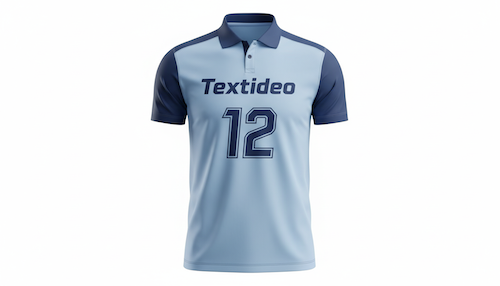
AI Text Detection
Body Editor
 Sample
AI Text Detection
Create more premium AI videos with commercial usage and priority processing.
Allow other users to view your generated result.
Hide your prompt and uploaded source files from other users.
Waiting for Results
Complete the required inputs and click Generate.
AI Image Tool
Text Remover makes removing unwanted text fast, precise, and seamless. With AI-powered recognition, Text Remover detects text in your image and restores the background instantly, delivering clean and natural results without editing skills. Open Text Remover online, upload your image, and process it in one click—perfect for ecommerce visuals, social media graphics, and creative design projects that demand high-quality output.
Try Text Remover NowText Remover is built to deliver fast, accurate, and natural text removal for real creative and commercial workflows. With intelligent detection, high-quality restoration, and true-to-source image output, Text Remover helps creators transform visuals instantly without manual retouching or complex tools.
Body Editor

Spiderman AI

Can Display
More AI Image Tool
Text Remover doesn’t just remove text—it elevates the entire editing experience. Its fast workflow, adaptive rendering, and consistent production results make it a preferred choice for designers, ecommerce sellers, photographers, marketers, and content creators who value quality at speed.
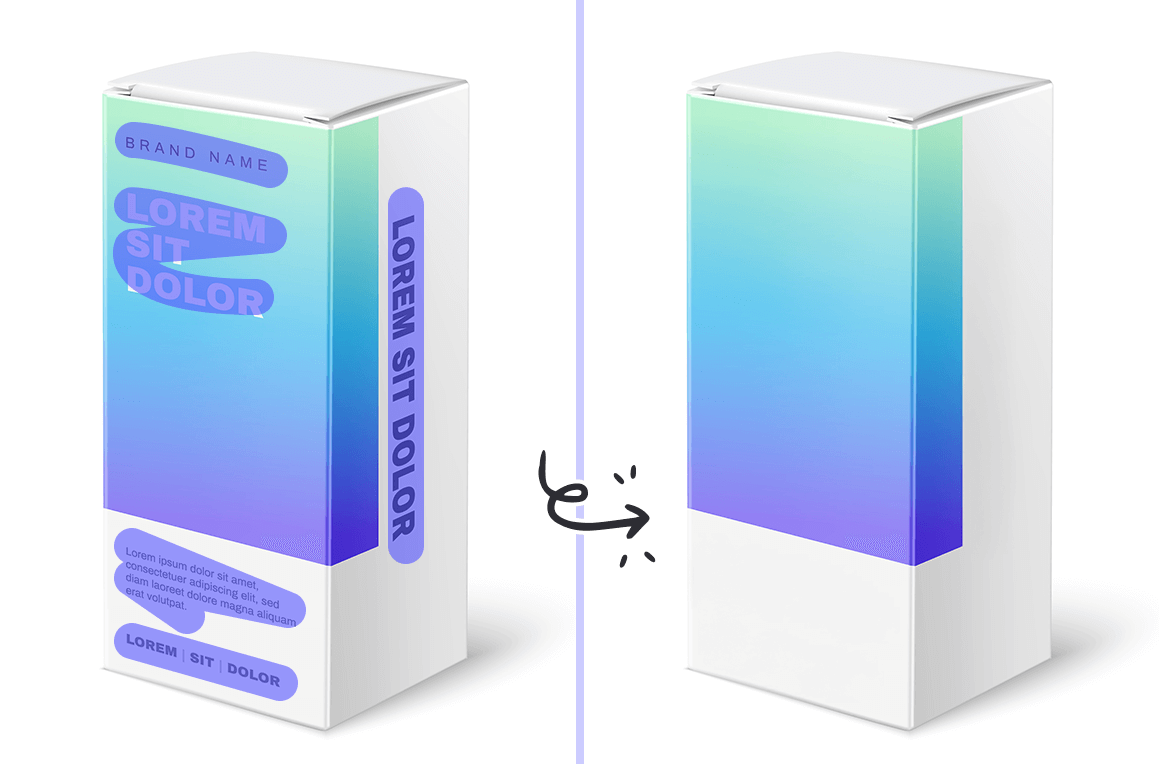
Text Remover doesn’t just remove text—it elevates the entire editing experience. Its fast workflow, adaptive rendering, and consistent production results make it a preferred choice for designers, ecommerce sellers, photographers, marketers, and content creators who value quality at speed.

Text Remover doesn’t just remove text—it elevates the entire editing experience. Its fast workflow, adaptive rendering, and consistent production results make it a preferred choice for designers, ecommerce sellers, photographers, marketers, and content creators who value quality at speed.
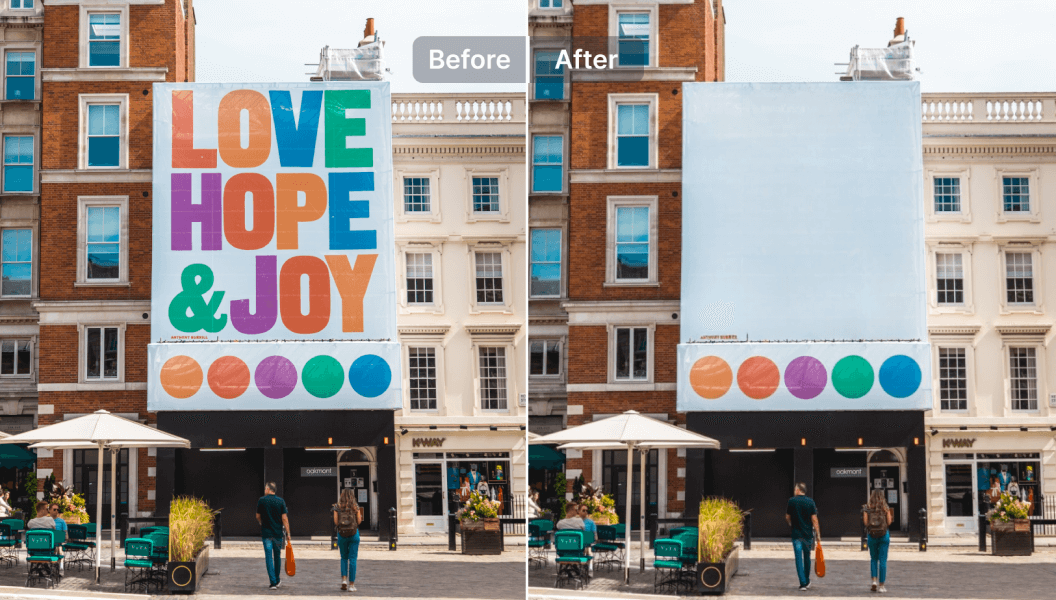
Text Remover doesn’t just remove text—it elevates the entire editing experience. Its fast workflow, adaptive rendering, and consistent production results make it a preferred choice for designers, ecommerce sellers, photographers, marketers, and content creators who value quality at speed.
Discover practical examples of how Text Remover can clean up cluttered or unnecessary information, making images clearer, more focused, and visually refined. Each scenario highlights the tangible impact of text removal, showing the direct value in improving visual presentation.
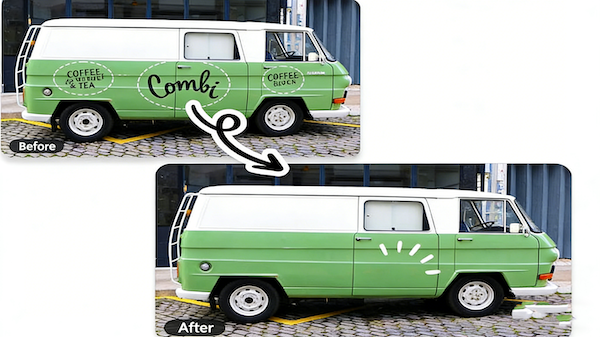
Use Text Remover to clean logos, decals, and painted text from vehicle surfaces, restoring a smooth and uniform finish. After removing the markings, the van looks clean, professional, and visually neutral—perfect for resale listings, fleet photography, or repurposed creative assets.

Safely eliminate personal names, addresses, or sensitive details. Text Remover ensures shared visuals remain tidy, professional, and suitable for public or team-facing use.

Clean up page layouts by removing excess text, annotations, or watermarks. Text Remover enhances readability and visual balance, resulting in more elegant, professional editorial imagery that directs attention to the main content.

Eliminate unnecessary marks and distractions from portfolio or showcase images. Text Remover helps each visual feel more focused, impactful, and refined, allowing viewers to immediately appreciate the highlights and visual appeal of your work.
Maximize efficiency and get polished results with Text Remover by following these practical tips. These insights help streamline your workflow, enhance output quality, and make each image edit faster and more precise.

Before marking text, take a moment to assess your image. Group text elements that are close together and consider overlapping backgrounds. This planning step ensures that Text Remover processes regions cleanly and reduces the need for repeated adjustments.

For complex visuals or small text, zoom in to refine selections. Precise marking allows Text Remover to reconstruct backgrounds seamlessly, maintaining natural textures and preventing unintentional blurring in detailed areas.

Always use the preview option to evaluate changes before exporting. Comparing the original and edited image helps you spot subtle imperfections and make minor adjustments, ensuring your final output from Text Remover looks polished and professional.
If editing multiple images, process them in small groups—up to 5 at a time. This approach keeps Text Remover fast and responsive while maintaining consistent quality across your visuals.
For large or high-resolution files, consider resizing or compressing images slightly. Properly sized files help Text Remover maintain smooth processing speed and deliver high-quality, clean results consistently.
After removing text, subtle tweaks like brightness, contrast, or color correction can enhance the overall look of your image. Pairing Text Remover with minor post-editing ensures each visual achieves maximum impact while maintaining a natural, professional appearance.
Explore real-world visual transformations and see how Text Remover can make your images cleaner, more focused, and professionally polished. Each example highlights how creators enhance their visuals, improving clarity, composition, and overall visual impact.
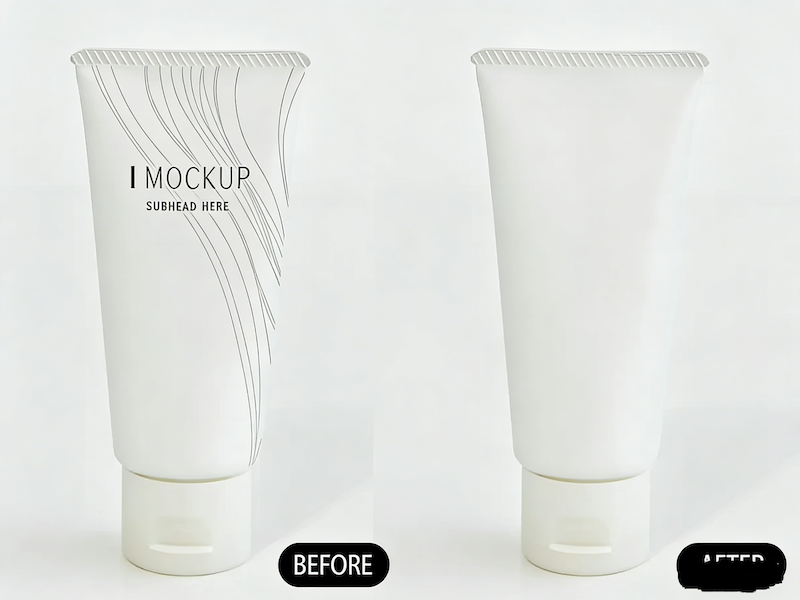
Streamline product images by removing distracting labels, price tags, or overlays, letting the product take center stage. With Text Remover, images look cleaner, more refined, and ready for online stores, catalogs, or digital showcases.
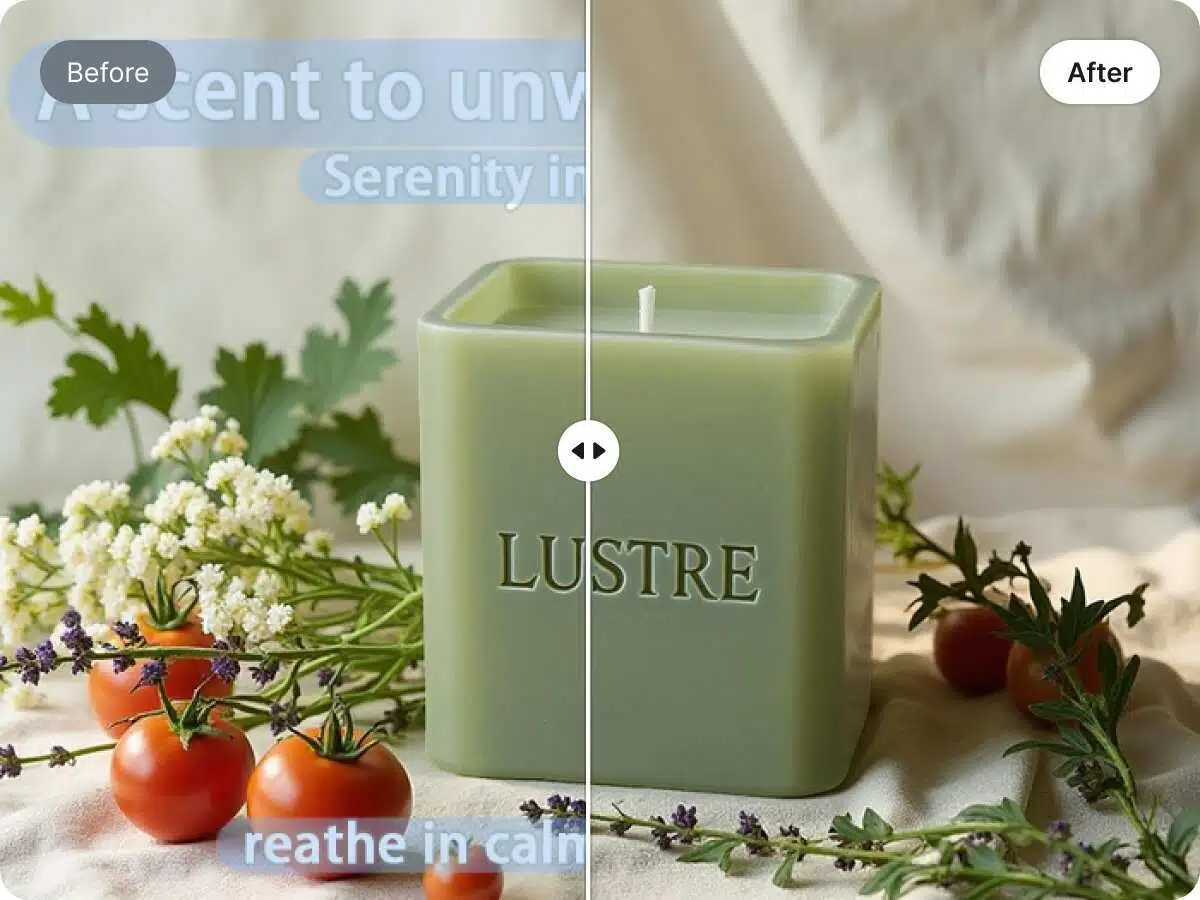
Quickly refresh outdated or cluttered promotional materials by removing old text and irrelevant details. Text Remover helps maintain a consistent, clean visual style, enabling teams to update creatives without rebuilding layouts from scratch.

Eliminate unwanted elements such as signs, watermarks, or background clutter to enhance the artistic quality of your photos. Text Remover ensures the subject stands out, creating visually immersive images with clear focus and depth.
Remove watermarks, captions, or other intrusive text to produce clean, cohesive social media visuals. With Text Remover, your images can be repurposed seamlessly across platforms while maintaining a consistent and professional aesthetic.
Removing text is simple, fast, and reliable—Text Remover allows you to achieve seamless, professional-quality results in just three straightforward steps. Even without technical expertise, users can trust Text Remover to handle the process efficiently, ensuring images are clean, polished, and ready for any creative or professional purpose.
Start by importing the image you want to refine. Whether it’s a product photo, a marketing visual, or a creative shot, uploading to Text Remover is quick and intuitive. You can work directly from your device or drag and drop files, preparing your image for a smooth editing flow.
Highlight the text areas you wish to remove. Text Remover guides you through the selection process, making it easy to adjust and refine the marked regions. This step ensures you maintain control over the image while allowing Text Remover to produce a clean, precise result.
Once you’re satisfied with the edit, preview the final image and export it in high resolution. Your polished visuals from Text Remover are ready for immediate use across any platform or medium, maintaining professional quality and consistent, refined appearance.
Curious about how Text Remover works and what it can do for your images? This FAQ answers the most common questions, from supported formats and file sizes to output quality, commercial use, and handling tricky text styles. Whether you’re a creator, marketer, or designer, get the insights you need to use Text Remover confidently and efficiently.
Curious about how Text Remover works and what it can do for your images? This FAQ answers the most common questions, from supported formats and file sizes to output quality, commercial use, and handling tricky text styles. Whether you’re a creator, marketer, or designer, get the insights you need to use Text Remover confidently and efficiently.
Text Remover is an AI-powered online tool designed to quickly and cleanly remove text from images. It enables users to create polished, professional visuals by erasing unwanted text while preserving the original background, colors, and image quality—ideal for creative projects, marketing materials, and everyday image editing tasks.
Yes. Text Remover can process a wide variety of font styles, including curved, distorted, shadowed, or outlined text. It intelligently analyzes the surrounding background to reconstruct the area seamlessly after removal.
Absolutely. Text Remover rebuilds the removed areas using surrounding textures and colors, creating a visually natural and smooth finish without noticeable smudges or artifacts.
Yes. Text Remover operates entirely in the browser. There is no need to download any software or install plugins, making it accessible and ready to use instantly.
Yes. Images processed with Text Remover can generally be used for both personal and commercial purposes. However, users should always review the platform’s terms of service and usage guidelines to ensure compliance with specific licensing requirements.
Text Remover supports common image formats such as JPG and PNG. Users can upload most standard image files without conversion, ensuring smooth workflow across different platforms.
Yes. Text Remover allows image uploads up to 2MB. Images within this size limit are processed quickly and efficiently. For larger files, it is recommended to resize or compress them to ensure optimal performance and fast text removal results.
The processing time is usually a few seconds, depending on image size and complexity. Text Remover is optimized for speed while maintaining high-quality results.
Yes. Text Remover allows users to review and adjust selected areas before finalizing. This ensures precision and control over the final image.
All images uploaded to Text Remover are processed securely. The platform does not share user images publicly, ensuring privacy for sensitive content.
Yes. Text Remover supports batch processing for up to 5 images at a time. This allows users to clean multiple visuals efficiently, making it convenient for small ecommerce catalogs, marketing materials, or other creative projects without compromising speed or quality.
Experience the simplicity and power of Text Remover for yourself. Remove unwanted text from your images in seconds, achieve professional-quality results, and elevate your visuals effortlessly. Upload your first image now and see how Text Remover can transform your creative workflow instantly.
Start Using Text Remover and Clean Your Images Instantly