Everything You Need to Know About Long Take
Explore all the answers to your questions and learn how to fully unlock the potential of Long Take. From understanding its core features to mastering the art of seamless long shots, this section guides you through every aspect of the tool, helping you bring your creative ideas to life with effortless precision and cinematic quality.
Explore all the answers to your questions and learn how to fully unlock the potential of Long Take. From understanding its core features to mastering the art of seamless long shots, this section guides you through every aspect of the tool, helping you bring your creative ideas to life with effortless precision and cinematic quality.
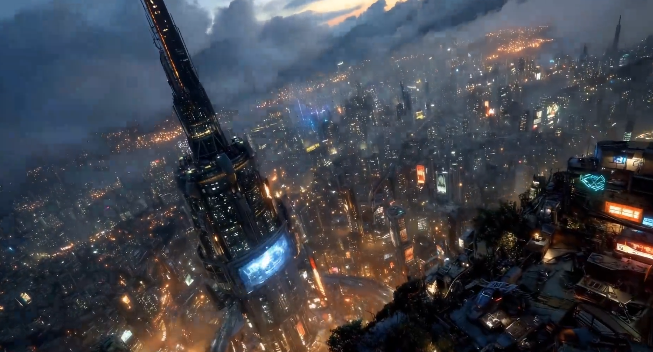
A long take (also known as a "one-shot") is a continuous, uninterrupted shot that lasts much longer than traditional cuts. It provides an immersive, real-time experience, building tension and keeping the audience engaged throughout the scene.
AI generates seamless, continuous shots based on your input. It plans the camera movements and ensures visual continuity, keeping the entire filming process smooth and natural.
Yes, Long Take allows you to specify the camera angle, focus changes, and other visual elements, giving you complete creative control over your shot sequence.
Long take videos can range from 30 seconds to several minutes, depending on the complexity of your sequence and the needs of your story.
Yes, Long Take supports a variety of common video formats for export, including MP4 and MOV, making it easy to share and upload your creations to various platforms, whether for social media or professional video editing software.
While Long Take focuses on camera movement, you can pre-set backgrounds and audio during the video creation process. By planning your keyframes carefully, you can sync background visuals and sound effects, ensuring that both elements naturally complement the continuous shot and enhance the immersive experience.
Common mistakes include inaccurate keyframe positioning or overly dramatic camera movements, which can disrupt the flow of transitions. Ensure that each keyframe is precisely placed and avoid abrupt camera shifts to maintain the smooth, continuous flow of your long take video.
While Long Take does not directly handle voiceovers or subtitles, you can export your long take video and use other tools to add multi-language voiceovers or subtitles, making it adaptable for audiences in different languages and cultures.
Yes, you can preview your long take video before finalizing it. This allows you to make adjustments to camera movements, keyframe placements, and other elements to ensure the final result aligns with your vision.
Yes, there is a limit to the number of keyframes you can upload. You can upload up to 10 keyframes per project.