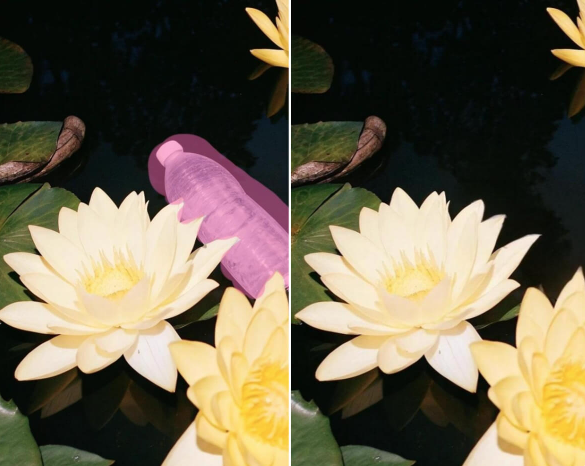
AI-Powered Detection & Precise Removal
Body Editor
 Sample
An Object Remover Designed to Improve Overall Image Quality
Create more premium AI videos with commercial usage and priority processing.
Allow other users to view your generated result.
Hide your prompt and uploaded source files from other users.
Waiting for Results
Complete the required inputs and click Generate.
AI Image Tool
Easily remove unwanted objects, people, or distractions from your photos with an AI-powered Object Remover that automatically reconstructs the background. Turn every image into a clean, professional, and flawless visual in just one click—no design skills required.
Try Object Remover NowThis object remover goes far beyond a simple eraser. Powered by AI-driven recognition, intelligent reconstruction, and advanced background filling, it makes removing unwanted elements fast, precise, and visually seamless—even in complex scenes.
Body Editor
Spiderman AI
Can Display
More AI Image Tool
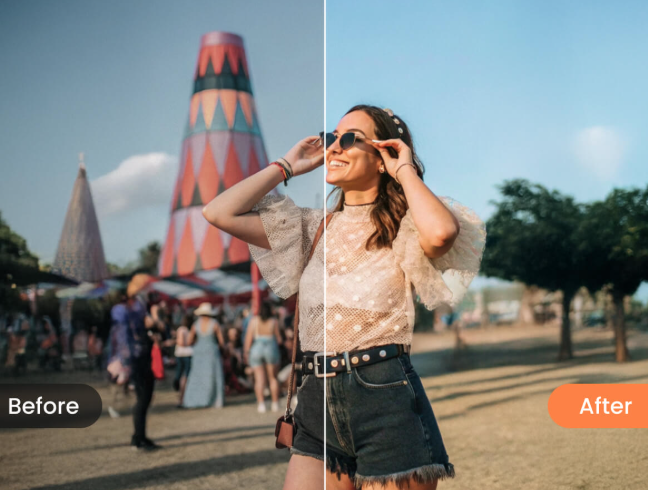
This object remover is built to support better visual outcomes, not just cleaner images. By reducing distractions and refining composition, it helps elevate image quality and visual credibility across personal, creative, and commercial use cases.
This object remover is built to support better visual outcomes, not just cleaner images. By reducing distractions and refining composition, it helps elevate image quality and visual credibility across personal, creative, and commercial use cases.
This object remover is built to support better visual outcomes, not just cleaner images. By reducing distractions and refining composition, it helps elevate image quality and visual credibility across personal, creative, and commercial use cases.
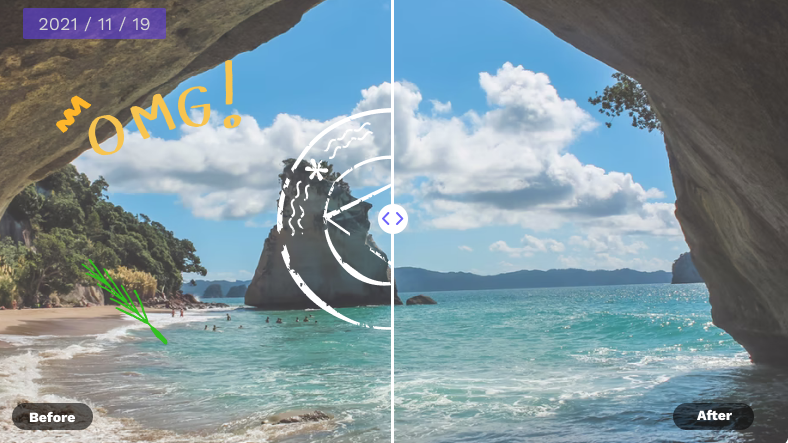
This object remover is built to support better visual outcomes, not just cleaner images. By reducing distractions and refining composition, it helps elevate image quality and visual credibility across personal, creative, and commercial use cases.
Whether you’re new to image editing or working with an established creative workflow, Object Remover helps you optimize photos more efficiently—so you can focus on creativity instead of repetitive, time-consuming retouching.
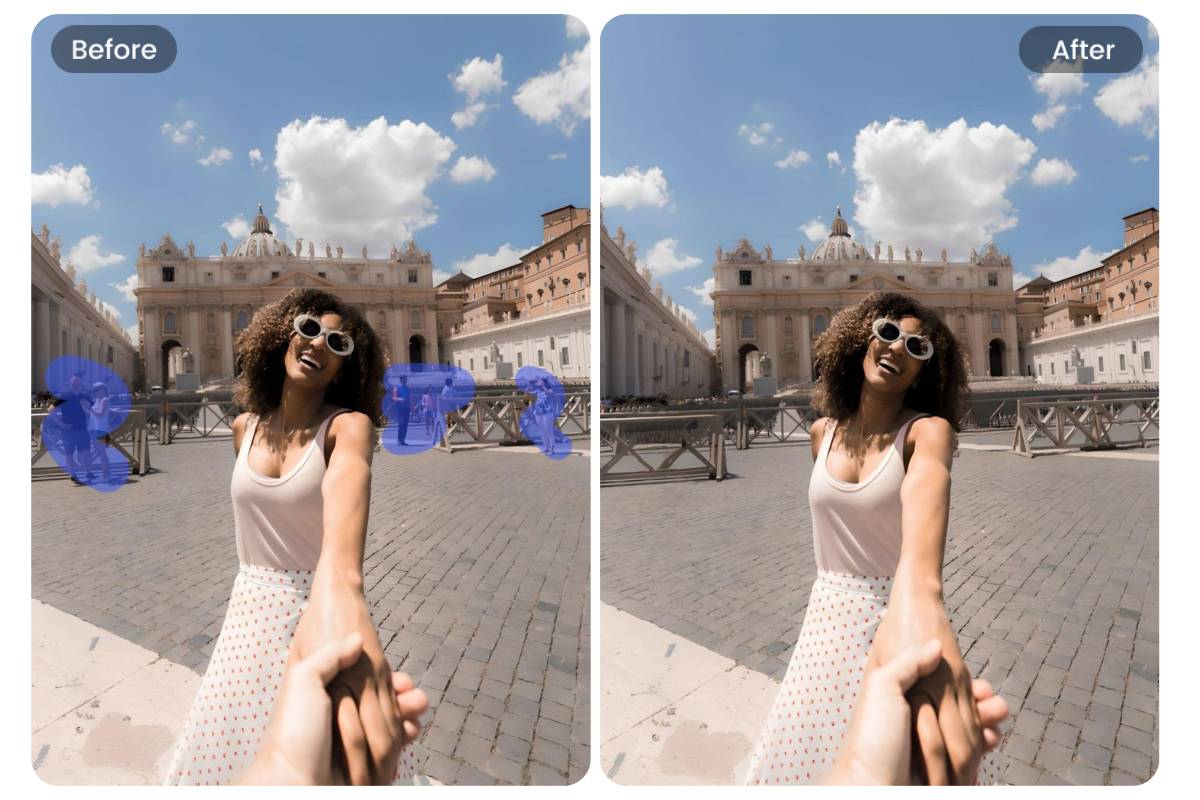
For creators who care about engagement and visual impact, Object Remover quickly removes distracting elements, keeps the focus on your message, and helps every cover image and post look more polished and share-ready.
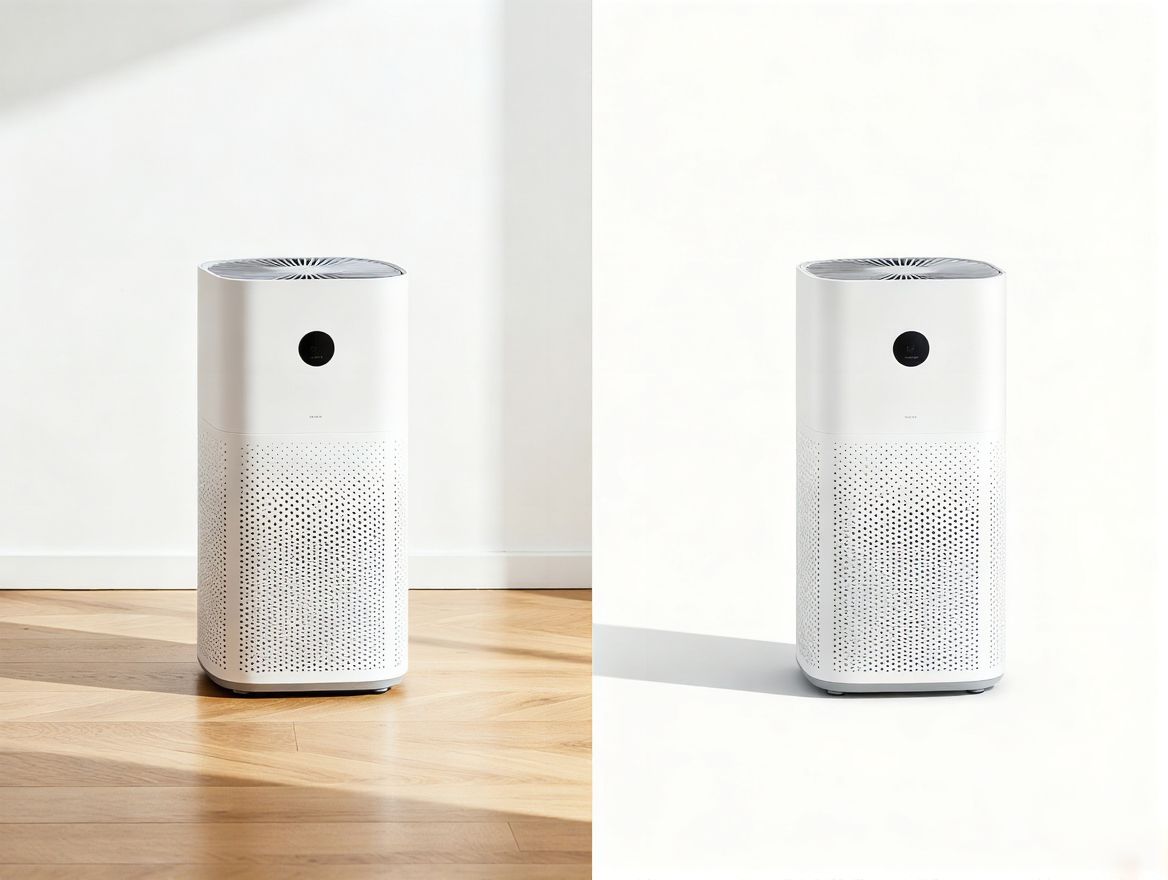
Object Remover streamlines product image cleanup, reducing post-production effort and helping you present products more clearly. Create clean, consistent, and professional visuals that meet marketplace and platform standards.
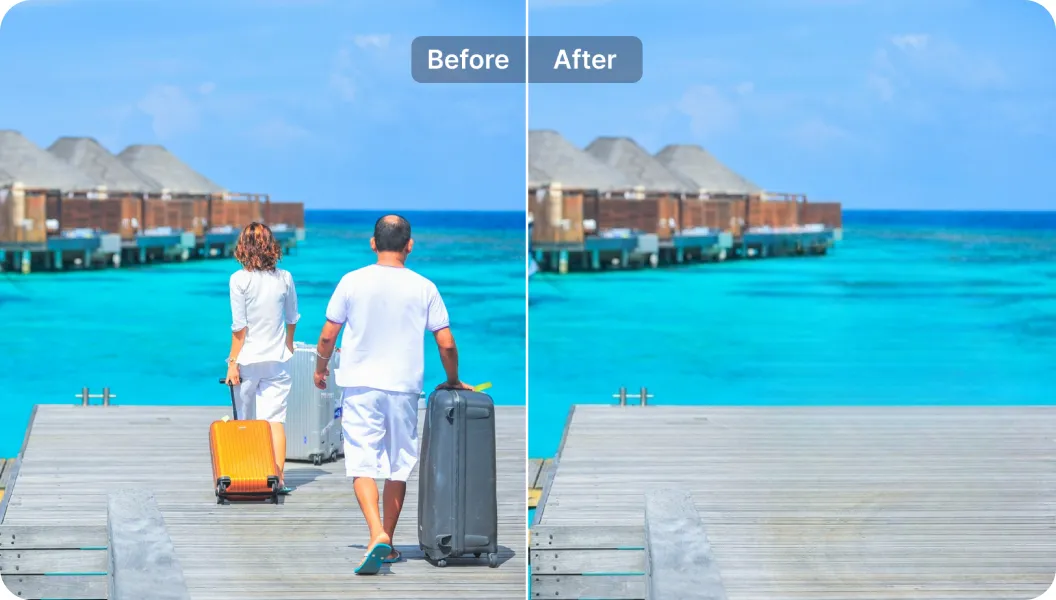
When capturing moments from daily life or your travels, Object Remover helps eliminate accidental photobombers or clutter, preserving the moments and emotions you actually want to remember.
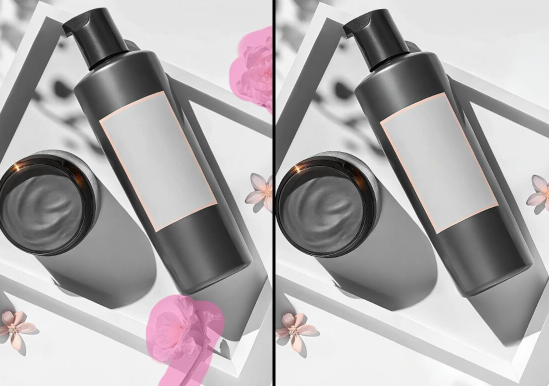
For teams producing visual assets at scale, Object Remover reduces editing costs, accelerates content preparation, and offers a flexible, efficient way to manage image cleanup across campaigns.
On China Video AI, Object Remover is more than a standalone cleanup tool. It’s an essential part of a complete visual optimization experience, powered by platform-level AI and designed to work seamlessly across your creative workflow.

China Video AI advanced AI engine powers Object Remover with consistent, high-quality results. From detailed backgrounds to complex scenes, it adapts intelligently to different image types while preserving natural texture and depth.

Object Remover integrates effortlessly with other editing tools on China Video AI, allowing cleanup to become a natural step in your creative process. Move smoothly from image refinement to further enhancement without switching platforms or disrupting your workflow.
Before finalizing your image, you can preview Object Remover results in real time and refine your selections as needed. This flexible adjustment process reduces guesswork and gives you greater confidence that the final image matches your expectations.
Object Remover on China Video AI is built with privacy in mind. Images uploaded for editing are used only during the active Object Remover session and are never reused or shared, keeping your creative assets secure and fully under your control.
No steep learning curve or technical background required. China Video AI makes Object Remover intuitive for first-time users while remaining efficient and reliable for experienced creators working at scale.
By streamlining image cleanup with the AI-powered Object Remover, China Video AI helps you produce polished visuals faster and with fewer resources. Reduce manual retouching, limit reliance on external services, and focus more on creative output instead of repetitive edits.
Explore real examples that highlight what Object Remover can do, and see how AI reshapes image composition across different scenarios—turning cluttered photos into clean, usable visuals.
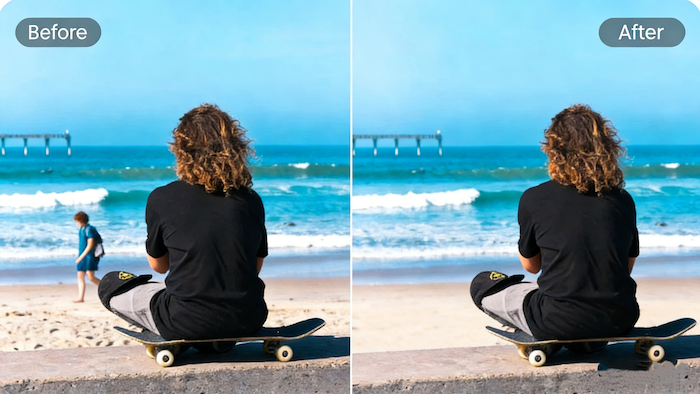
With Object Remover, tourists, signs, and visual distractions are removed while preserving the atmosphere and depth of the landscape for a more immersive viewing experience.
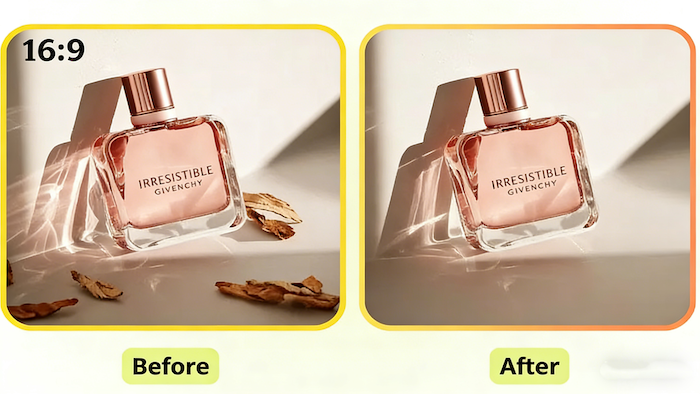
Object Remover clears unnecessary props and background clutter, placing products at the true center of attention and helping visuals communicate quality and value more clearly.

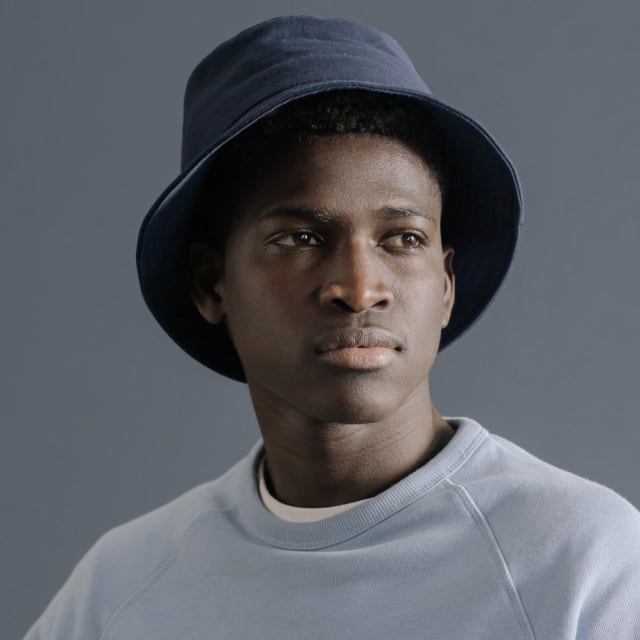
Using Object Remover, background distractions are removed to strengthen the subject, naturally guiding attention to facial expressions and fine details.

Object Remover eliminates unwanted vehicles or passersby, making architectural lines and urban structures cleaner, more defined, and visually organized.
Even if you’re new to photo editing, Object Remover makes the process clear and approachable. Each step is designed to guide you forward with confidence, so you always know what to do next.
Start by uploading your image or dragging it directly into the editor. Object Remover supports common image formats, allowing you to begin instantly without extra preparation or setup.
Use the intuitive selection tools to highlight the areas you’d like to erase. With Object Remover, markings are easy to adjust at any time, helping you refine your selection without worrying about mistakes.
Once confirmed, Object Remover automatically processes your image and generates a preview. When you’re satisfied, simply download the high-quality result—no hidden steps, no complicated settings.
Get a clearer understanding of how Object Remover fits into your creative workflow and what to expect from the overall editing experience. This section covers key considerations that help you use the tool with confidence, streamline your image optimization process, and achieve cleaner, more polished visuals with less effort.
Get a clearer understanding of how Object Remover fits into your creative workflow and what to expect from the overall editing experience. This section covers key considerations that help you use the tool with confidence, streamline your image optimization process, and achieve cleaner, more polished visuals with less effort.
Object Remover is an AI-powered image editing tool that helps you quickly erase unwanted elements from photos. Simply select the area to remove, and the AI automatically restores the background for a clean, natural result—no advanced editing skills required.
Object Remover can remove people, unwanted objects, text, watermarks, shadows, and other distracting elements from photos.
No installation is required. Object Remover works entirely online and can be used directly in your browser, allowing you to start editing instantly on any device without downloads or setup.
Object Remover supports common image formats such as JPG and PNG, making it easy to work with most photos from cameras, smartphones, and online platforms without additional conversion steps.
Yes. Object Remover processes images in real time, and most edits are completed within seconds, helping you achieve clean results quickly without interrupting your workflow.
Object Remover uses AI-based content filling to reconstruct the background by analyzing nearby textures and lighting. In most cases, the result appears natural and seamless, with no obvious editing marks.
Yes. Object Remover is designed to work with both simple and complex backgrounds. It intelligently analyzes surrounding patterns and visual context to deliver balanced, visually consistent results.
Yes. Object Remover allows you to mark and remove multiple areas within the same image during one editing session, making it easy to clean up several distractions at once.
Object Remover is flexible and forgiving. You don’t need pixel-perfect selections—rough markings are usually enough for the AI to understand what should be removed.
Object Remover allows you to adjust or re-mark areas before finalizing, giving you control throughout the editing process.
Object Remover supports high-resolution images within platform limits, ensuring detailed results while maintaining fast processing speeds.
Remove distractions and refine your photos with precision and ease. Try Object Remover now and achieve clean, professional-looking results in just a few clicks.
Create Clean and Professional Images with Object Remover